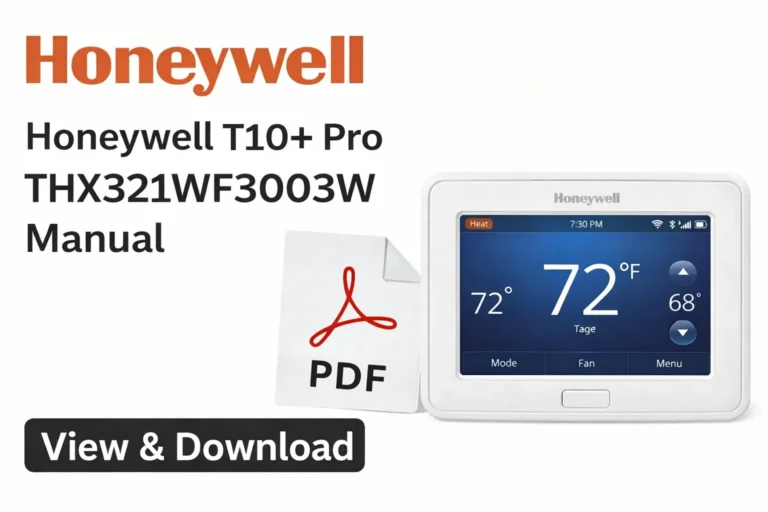
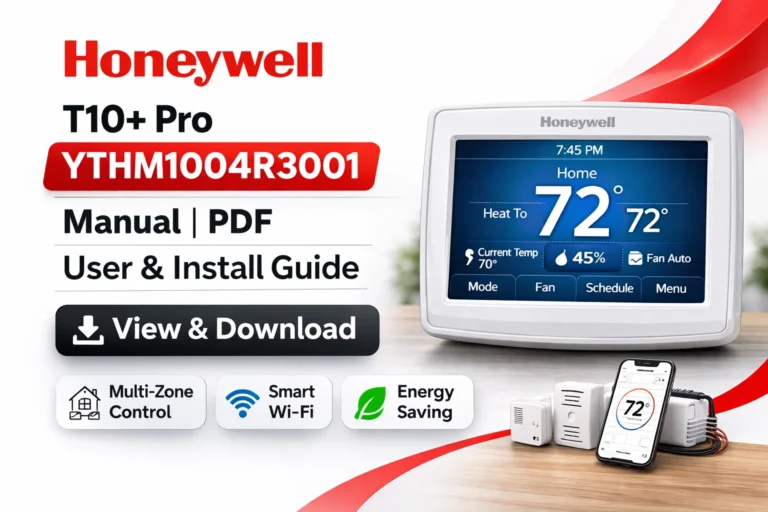
Honeywell T10+ Pro THX321WFS3001W Manual | PDF User & Install Guide
On this page, you can access and download the Honeywell T10+ Pro THX321WFS3001W User Manual (PDF). This latest version of the T10+ Pro thermostat brings advanced features, including RedLINK 3.0 technology. Whether you are looking for the User Guide, Professional Installation Guide, or Product Data, you will find all the necessary documentation here for a smooth setup and troubleshooting.
The THX321WFS3001W model is a high-performance thermostat that allows you to integrate sensors according to your needs, offering flexibility and ensuring optimal comfort.
Key Features of the Honeywell T10+ Pro THX321WFS3001W
Before diving into the setup process, it’s important to understand the advanced features that come with the Honeywell T10+ Pro THX321WFS3001W:
- Wireless Room Sensors: These provide precise control over the temperature in individual rooms.
- Wi-Fi Connectivity: Easily control your thermostat from anywhere using the Honeywell Home App.
- Smart Home Integration: Fully compatible with Amazon Alexa, Google Assistant, Apple HomeKit, and SmartThings.
- Zoning Support: Allows for multi-zone HVAC systems, enabling you to maintain different temperatures in different areas of your home.
- Adaptive Scheduling: Learns how your HVAC system behaves and adjusts based on your daily routines for better efficiency.
- Geofencing: Automatically adjusts the thermostat when you leave or return home, improving energy savings.
View & Download Honeywell T10+ Pro THX321WFS3001W User Manual (PDF)
The User Guide provides detailed instructions on setting up your Honeywell T10+ Pro, allowing you to easily manage your thermostat’s functionality. The manual covers the following:
- Initial Setup: Learn how to set up thermostat controls and get familiar with the user interface.
- Heating and Cooling Schedules: Create heating and cooling schedules to optimize energy efficiency.
- Wi-Fi Setup: Learn how to connect your thermostat to Wi-Fi and set up mobile app control for remote access.
- Room Sensors: Integrate RedLINK sensors (sold separately) for enhanced temperature management.
- Humidification and Ventilation: Manage your HVAC system’s humidity and air quality (system-dependent).
- Maintenance and Safety: Follow the maintenance tips to ensure the longevity and safety of your thermostat.
View & Download Professional Installation Guide: Honeywell T10+ Pro THX321WFS3001W
For HVAC professionals or advanced users, the Professional Installation Guide is an essential document. It includes:
- Wiring Diagrams: Detailed diagrams to ensure correct wiring during installation.
- System Compatibility: Information about the compatibility of the T10+ Pro with different HVAC systems.
- Zoning Setup: Instructions for setting up multi-stage HVAC systems, ensuring efficient performance.
- Mounting Instructions: Ensure your thermostat is mounted correctly for optimal performance.
- Sensor Pairing and Network Setup: How to integrate RedLINK sensors and smart home network connections.
View & Download Honeywell T10+ Pro THX321WFS3001W Product Data Sheet
The Product Data Sheet includes all the technical specifications and features of the Honeywell T10+ Pro. It provides:
- Power and Electrical Ratings: Details on power requirements and electrical ratings for installation.
- Communication Protocols: Supported protocols for seamless smart home integration.
- Mounting Specifications: Ensure the thermostat is installed in the optimal location for performance.
- Environmental Operating Ranges: Details on operating temperature ranges for various climates.
Honeywell T10+ Pro THX321WFS3001W: Comprehensive Overview
The Honeywell T10+ Pro THX321WFS3001W is a smart thermostat designed to provide optimal comfort while enhancing energy efficiency. With features like adaptive recovery and zoning support, it’s ideal for both residential and light commercial environments.
Benefits of the Honeywell T10+ Pro THX321WFS3001W Thermostat
- Improved Comfort: With wireless room sensors, you can prioritize comfort in the most important areas of your home.
- Energy Savings: Smart features like geofencing and adaptive scheduling reduce energy usage when you’re away or while you’re asleep.
- Remote Control: Manage your thermostat remotely from anywhere using the Honeywell Home App.
- Integration with Smart Homes: Fully compatible with Amazon Alexa, Google Assistant, and Apple HomeKit, allowing for voice control and smart automation.
How to Install the Honeywell T10+ Pro THX321WFS3001W Thermostat
Installing the Honeywell T10+ Pro thermostat is straightforward with the Professional Installation Guide. Here’s a quick overview of the installation steps:
- Power off the HVAC system at the breaker panel.
- Remove the old thermostat and label the wires to avoid confusion.
- Mount the baseplate of the new thermostat securely.
- Connect the wiring based on the detailed wiring diagram.
- Attach the thermostat to the baseplate and power up the HVAC system.
- Complete the on-screen setup process.
- Pair room sensors with the thermostat for accurate room temperature control.
Troubleshooting Common Issues with the Honeywell T10+ Pro
If you encounter any issues with your thermostat, try these troubleshooting steps:
- Thermostat not powering on: Check that the C-wire is connected properly and verify the circuit breaker.
- Room sensor not connecting: Ensure that the sensor is within range and replace batteries if necessary.
- Wi-Fi connection issues: Ensure that the thermostat is within range of your Wi-Fi router, or try reconnecting.
- Inaccurate temperature readings: Recalibrate or adjust the placement of the room sensor for better accuracy.
How to Connect the Honeywell T10+ Pro to Your Smart Home
To integrate your Honeywell T10+ Pro with your smart home system:
- Amazon Alexa: Use voice commands to control your thermostat.
- Google Assistant: Manage your thermostat via voice commands for a hands-free experience.
- Apple HomeKit: Easily control your thermostat using the Home app on iOS devices.
- SmartThings: Integrate with the SmartThings hub for even more automation possibilities.
Maximizing Energy Savings with the Honeywell T10+ Pro
To maximize the energy efficiency of your thermostat:
- Use Room Sensors: Set your thermostat to prioritize comfort in rooms that are used most often.
- Enable Geofencing: Automatically adjust the temperature when you leave or arrive home.
- Use Adaptive Scheduling: Let the thermostat learn your schedule and adjust settings to save energy.
- Monitor Humidity and Ventilation: Ensure the air quality and temperature are optimized for energy savings.
Extensive Comparison: Honeywell T10+ Pro vs. Popular Smart Thermostats
Choosing the right smart thermostat can make a significant difference in home comfort, energy efficiency, and long‑term HVAC costs. Below, we compare the Honeywell T10+ Pro THX321WFS3001W against other leading smart thermostat brands — Ecobee Smart Thermostat Premium, Google Nest Learning Thermostat, and Emerson Sensi Touch Wi‑Fi — to help you understand how they stack up across key features and real‑world performance.
1. Core Philosophy: Precision vs. Automation
Honeywell T10+ Pro
- Built for precise control and multi‑stage HVAC compatibility, especially in homes with complex zoned systems.
- Emphasizes manual scheduling and occupancy sensors to deliver consistent comfort.
- The RedLINK room sensor technology communicates real‑time occupancy and temperature data to prioritize areas that matter most.
Ecobee Smart Thermostat Premium
- Combines advanced automation with occupancy awareness and environmental sensors to balance comfort and energy savings.
- Features like “Follow Me” help direct intelligent temperature control based on where people actually are.
Google Nest Learning Thermostat
- Designed to be truly automated — it learns your comfort preferences over time and schedules itself automatically without manual programming.
Emerson Sensi Touch Wi‑Fi
- Focuses on simplicity and ease of use, without the advanced multi‑room sensing or learning algorithms found elsewhere. Great for basic Wi‑Fi thermostat needs in single‑zone homes.
2. Comfort & Multi‑Room Temperature Control
Honeywell T10+ Pro
- Excellent for multi‑room temperature balancing with external RedLINK sensors. You can prioritize rooms instead of only relying on a single thermostat location.
- This makes a big difference in homes with uneven temperature zones.
Ecobee Premium
- Also strong in multi‑room control; its included SmartSensors detect both temperature and occupancy in separate rooms, reducing hot and cold spots.
Nest Learning Thermostat
- Supports optional remote sensors, but they are not included out of the box and focus on temperature (not occupancy), so full multi‑room control requires additional purchases. ✳
Emerson Sensi Touch
- Standard single‑point temperature measurement — suitable for smaller or single‑zone homes but less effective where temperature varies across multiple rooms.
3. Scheduling, Learning, and Smart Behavior
Honeywell T10+ Pro
- Uses adaptive recovery — learns how your HVAC system reaches target temperatures and adjusts start times accordingly.
- Manual schedules let users take direct control, which some homeowners prefer over automated routines.
Ecobee Premium
- Blends manual scheduling with occupancy and sensor data for smart, responsive comfort. Advanced eco‑modes can adjust settings based on real‑time usage.
Nest Learning Thermostat
- Known for its self‑learning algorithm, it automatically builds a schedule based on your behavior, adjusting itself over weeks of use to reduce energy waste and maintain comfort.
Emerson Sensi Touch
- Offers basic programmable scheduling but no learning or adaptive intelligence — ideal for those who prefer manual setup without complexity.
4. Smart Home Ecosystem & Voice Control
Integrations
| Thermostat | Amazon Alexa | Google Assistant | Apple HomeKit | SmartThings |
|---|---|---|---|---|
| Honeywell T10+ Pro | ✅ | ✅ | ✅ | ✅ |
| Ecobee Premium | ✅ | ✅ | ✅ | ✅ |
| Nest Learning | ✅ | ✅ | Partial (via bridge) | ❌ ✳ |
| Emerson Sensi Touch | ✅ | ✅ | ❌ | ❌ ✳ |
- Honeywell and Ecobee both offer broad cross‑platform compatibility, including HomeKit, which Nest often lags without workarounds.
- Nest excels within the Google ecosystem, with deep Google Home integration and contextual voice control. ✳
5. Installation & HVAC Compatibility
Honeywell T10+ Pro
- Designed for professional installation in complex systems (e.g., zoned or multi‑stage furnaces).
- The RedLINK sensor framework and wiring support advanced HVAC configurations.
Ecobee Premium
- DIY friendly, with optional Power Extender Kit (PEK) to work even without a C‑wire.
- Supports advanced multi‑stage systems as well.
Nest Learning Thermostat
- Simplified installation, often DIY, and works well in many systems; however, compatibility varies with advanced or communicating HVAC systems.
Emerson Sensi Touch
- Typically easiest to install, with good compatibility for straightforward HVAC setups, but limited multi‑stage or zoning support.
6. Energy Savings & Reporting
Honeywell T10+ Pro
- Energy savings come from occupancy sensors, adaptive recovery, and geofencing, optimizing comfort while minimizing wasted heating/cooling.
Ecobee Premium
- Offers energy reports, occupancy‑based optimization, and eco+ modes — all designed to cut costs by directing heating/cooling only where needed.
Nest Learning Thermostat
- Known for algorithm‑driven schedule optimization and detailed energy history, which often shows measurable annual savings.
Emerson Sensi Touch
- Provides basic energy reporting and scheduling but lacks the advanced usage insights that many users seek for in‑depth savings optimization.
7. Design, Display & User Experience
- Honeywell T10+ Pro offers a clear touchscreen with reliable UI, balancing advanced control with usability for everyday tasks.
- Ecobee’s interface is intuitive with strong mobile app support and environmental feedback data.
- Nest boasts a stylish, minimalist design with a dial or touchscreen interface that many find visually appealing, though it sometimes sacrifices full feature visibility behind menus.
- Emerson Sensi Touch prioritizes simplicity and straightforward controls for users who prefer ease over complexity.
FAQs:
1. What is the Honeywell T10+ Pro THX321WFS3001W Thermostat?
The Honeywell T10+ Pro is a high-performance smart thermostat designed for precise control of HVAC systems. It features RedLINK 3.0 technology, wireless room sensors, and integration with smart home systems like Amazon Alexa, Google Assistant, and Apple HomeKit.
2. Does the Honeywell T10+ Pro include room sensors?
Yes, the Honeywell T10+ Pro comes with wireless room sensors that allow you to prioritize temperature control in specific rooms based on occupancy.
3. How do I install the Honeywell T10+ Pro THX321WFS3001W?
To install the thermostat:
Power off your HVAC system.
Remove the old thermostat and label the wires.
Mount the new baseplate, connect the wiring, and restore power.
Follow the on-screen setup process to complete the installation.
A C-wire is usually required for full functionality.
4. Can I control the Honeywell T10+ Pro remotely?
Yes, you can control the Honeywell T10+ Pro remotely using the Honeywell Home app, which allows you to adjust settings from anywhere with an internet connection.
5. What HVAC systems is the Honeywell T10+ Pro compatible with?
The Honeywell T10+ Pro is compatible with a wide range of HVAC systems, including multi-stage furnaces, heat pumps, zoned systems, and IAQ devices, making it suitable for both residential and light commercial applications.
6. Does the Honeywell T10+ Pro save energy?
Yes, the Honeywell T10+ Pro helps save energy by using features like room sensors, geofencing, and adaptive scheduling to ensure that energy is only used when needed, optimizing comfort and efficiency.
7. Do I need a C-wire for the Honeywell T10+ Pro?
Yes, the C-wire is typically required for full functionality. If your system doesn’t have a C-wire, you can use a Power Extender Kit or consult a professional installer for guidance.
8. Can the Honeywell T10+ Pro integrate with smart home systems?
Yes, the Honeywell T10+ Pro integrates with popular smart home systems like Amazon Alexa, Google Assistant, Apple HomeKit, and SmartThings, allowing you to control the thermostat using voice commands and mobile apps.
Download More:
Conclusion: Why Choose the Honeywell T10+ Pro THX321WFS3001W?
The Honeywell T10+ Pro THX321WFS3001W is the perfect choice for homeowners or businesses looking for a precise, reliable, and energy-efficient thermostat. With its advanced features, including wireless room sensors, adaptive scheduling, and full smart home integration, it offers complete control over your environment. Whether you’re managing a multi-zone HVAC system or a single room, this thermostat is designed to enhance your comfort while helping you save on energy costs.
For more information, detailed installation instructions, or troubleshooting tips, download the Honeywell T10+ Pro User Manual, Installation Guide, and Product Data Sheet (PDF).