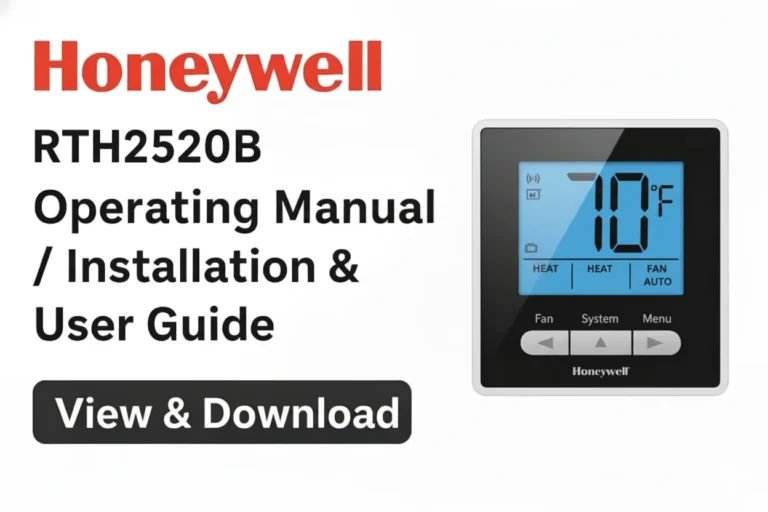
Honeywell RTH2510B Operating Manual / Installation & User Guide
If you’re looking for the official Honeywell RTH2510B Operating Manual, you’ve come to the right place. Below, you can view or download the complete user guide and installation manual for your Honeywell Home RTH2510B Programmable Thermostat in PDF format. This manual will help you understand everything from installation to operation and troubleshooting of your thermostat.
📘View & Download Honeywell RTH2510B Operating Manual PDF
If you want to skip directly to the complete documentation, use the link below to view or download the official Honeywell RTH2510B Operating Manual in PDF format.
This manual includes setup instructions, wiring information, system configurations, and troubleshooting tips.
📘View & Download Honeywell RTH2510B Quick Installation Guide PDF
Here’s the direct link to view or download the Quick Installation Guide PDF for the Honeywell RTH2510B / RTH2410 series thermostat:
You can open the manual online or save it for offline access to help during installation or setup.
Honeywell Home RTH2510B Thermostat Installation Guide – Specifications / Details
Honeywell RTH2510B Programmable Thermostat Owner Guide
The Honeywell Home RTH2510B thermostat is part of Honeywell’s energy-efficient programmable series designed for modern homes. It supports both heating and cooling systems and allows users to program temperature schedules for every day of the week. This ensures comfort when you need it and savings when you don’t.
It offers a clean digital display, simplified buttons for easy navigation, and built-in safeguards like compressor protection and early start for optimal system performance.
Whether you’re a homeowner or an HVAC technician, the following detailed steps from the operating manual will guide you through the process from start to finish.
Identify System Type
Before installation, determine your HVAC system type.
The RTH2510B is compatible with most 24-volt heating, cooling, and heat pump systems, including:
- Gas, oil, or electric furnaces
- Central air conditioning systems
- Heat pumps with or without auxiliary heat
⚠️ Note: The RTH2510B is not compatible with line voltage (120/240V) systems such as electric baseboard heating.
RTH2510B 7-Day Operating Manual Overview
The RTH2510B 7-Day Programmable Thermostat allows independent scheduling for each day of the week, offering up to four temperature periods per day (Wake, Leave, Return, Sleep).
This flexibility provides personalized comfort while minimizing unnecessary energy use when you’re away.
The display shows real-time room temperature, current system status (heating or cooling), and allows easy manual temperature adjustment when needed.
Turn Off Power to the Heating/Cooling System
Safety first — always turn off power at the breaker or fuse box before installation. This protects both you and your HVAC equipment from potential electrical hazards.
Double-check that your heating and cooling system is powered off before proceeding.
Remove Old Thermostat
Gently remove your old thermostat from the wall. Keep note of how each wire is connected.
Label each wire using the stickers provided in the Honeywell package. This will make reconnection to the new thermostat much easier and ensure wiring accuracy.
If your old thermostat contains a mercury switch, handle and dispose of it properly according to local regulations.
Identify Wires
The Honeywell RTH2510B includes a wiring identification chart.
Match the wires from your old thermostat to the corresponding terminal labels on your new unit.
Common wire codes include:
- R or Rc/Rh – Power (24V)
- Y – Cooling (compressor)
- G – Fan
- W – Heating
- O/B – Reversing valve for heat pumps
- C – Common (if available)
Correct wire identification ensures proper operation and system protection.
Mount New Wallplate
Once wiring is identified, position the new wallplate where you plan to install the thermostat.
Use a level to ensure the plate is straight, then secure it to the wall using the provided screws and anchors.
A properly leveled wallplate ensures accurate temperature sensing and better aesthetics.
Connect Wires
Connect each labeled wire to the matching terminal on the wallplate.
Tighten terminal screws securely but avoid overtightening to prevent wire damage.
Double-check all connections before mounting the thermostat.
Conventional Systems (Typical Wiring)
For most conventional heating and cooling systems, connect as follows:
- R → Rc or Rh (jumper remains installed if single transformer)
- Y → Compressor (Cooling)
- W → Heating
- G → Fan
Ensure the jumper between Rc and Rh is intact unless your system uses separate transformers for heating and cooling.
Connect Wires: Conventional Systems (Alternate Wiring)
In some systems, the R, Rc, and Rh wires are separate. The manual provides diagrams showing how to wire these systems safely, depending on the number of transformers and your HVAC configuration.
Connect Wires: Heat Pump Systems with Auxiliary/Backup Heat (Typical Wiring)
For heat pump systems with backup or auxiliary heating, connect:
- R → Power (24V)
- Y → Compressor
- O/B → Reversing valve
- AUX/E → Auxiliary or Emergency heat
- G → Fan
Refer to the wiring diagrams in the manual for detailed visual guidance.
Set Heating Fan Control
Use the fan function switch to select who controls the fan — either your furnace or the thermostat.
- Gas or oil systems typically let the furnace control the fan.
- Electric heating systems usually require the thermostat to control the fan.
Set Heat Pump Reversing Valve
The O/B switch on the thermostat controls when the heat pump’s reversing valve is energized.
- If your system energizes the valve in cooling mode, set the switch to O.
- If it energizes in heating mode, set it to B.
Check your HVAC manual for confirmation.
Install Batteries and Thermostat
Insert two AA alkaline batteries into the battery compartment to power your thermostat.
Attach the thermostat to the mounted wallplate until it clicks securely into place.
The battery indicator on the screen will alert you when it’s time to replace batteries.
System Setup – RTH2510B Honeywell Home
Enter the setup menu to configure:
- System type (heat/cool/heat pump)
- Fan operation
- Temperature display unit (°F or °C)
- Heating cycles per hour
- Early start and compressor protection options
Follow each on-screen prompt to ensure correct system behavior.
Temperature Display
The thermostat provides real-time temperature readings.
You can select between Fahrenheit (°F) and Celsius (°C) via the settings menu. The large, backlit display makes it easy to read even in low-light conditions.
Time Display Format
Choose your preferred 12-hour or 24-hour time format.
Setting the correct time ensures your programmed schedules activate accurately.
Heating Cycles per Hour
The cycles per hour (CPH) setting determines how often your heating system turns on and off.
Honeywell recommends:
- Gas/Oil furnace: 5 CPH
- Electric furnace: 9 CPH
- Heat pump: 3 CPH
Adjust as needed for system comfort and efficiency.
Compressor Protection
The RTH2510B includes compressor protection delay to prevent short cycling.
This feature ensures your compressor has at least a 5-minute rest period between cycles, extending equipment life and improving reliability.
Early Start
The Early Start function automatically begins heating or cooling before the programmed time, so your desired temperature is reached exactly when you want it — not after.
For example, if your schedule sets 22°C at 7:00 AM, Early Start ensures it’s already 22°C by that time.
System Startup
After setup, restore power to your HVAC system and verify proper operation:
- Test heating and cooling modes
- Confirm fan operation
- Check display readings
Your Honeywell RTH2510B thermostat is now fully operational and ready to maintain your desired home comfort efficiently.
Download More:
FAQs
If your thermostat isn’t working as expected, check:
Power supply and batteries
Proper wiring and terminal connections
System type configuration
Circuit breaker or fuse
If issues persist, reset the thermostat or refer to the troubleshooting section in the manual.
Press the “Set” or “Program” button to enter programming mode. Select the day, set wake/sleep times, and choose your desired temperatures. You can customize schedules for each day of the week.
Typically, the R wire is the hot wire supplying 24V power from the HVAC transformer. The W wire controls the heating system.
If your thermostat has both RC and RH terminals and your system uses a single transformer, keep the jumper wire between RC and RH. If your system uses separate transformers for heating and cooling, connect the appropriate wires separately.
Switch your system setting to “Cool”, set the fan to Auto or On, and lower the temperature setpoint below the room temperature. The AC should activate within a few seconds.
To set a daily or weekly schedule:
Press Set or Program.
Choose the day and time periods (Wake, Leave, Return, Sleep).
Set desired temperatures for each period.
Press Run or Done to save.
This ensures energy efficiency and comfort according to your daily routine.
Conclusion
The Honeywell RTH2510B Operating Manual pdf provides detailed instructions for setup, installation, and programming, helping you get the most out of your thermostat. Whether you’re a DIY installer or homeowner looking for clear operating guidance, this manual ensures your thermostat performs efficiently and reliably for years to come.