Honeywell RTH2520B Manual – Operating Manual / Installation & User Guide
Below you can view and download the official Honeywell RTH2520B manual, including the operating guide, product information, and installation instructions in PDF format. These resources will help you set up, use, and troubleshoot your thermostat easily and correctly.
View & Download Honeywell RTH2520B Operating Manual, Product Information, Installation Guide (PDF)
Access the full Honeywell RTH2520B operating manual in PDF format.
Get complete details about your thermostat’s specifications and features.
Find step-by-step help for installing your thermostat safely and accurately.
This manual explains thermostat features, programming steps, and temperature settings to help you manage your home comfort efficiently.
This document includes model features, compatibility details, and technical data.
Includes wiring diagrams, wallplate mounting, and system setup instructions.
Honeywell RTH2520B Programmable Thermostat Owner Guide – Installation Guide, Specifications & Details
The Honeywell RTH2520B programmable thermostat provides accurate temperature control and easy scheduling for your heating and cooling system. Below are key details and installation steps included in the official manual.
Identify System Type
Determine your system type (Conventional or Heat Pump) before wiring the thermostat. This ensures correct setup and function.
Turn Off Power to the Heating/Cooling System
Always switch off power at the breaker or system switch to prevent electrical shock or damage.
Remove Old Thermostat
Carefully remove the existing thermostat from the wall. Note how each wire is connected before detaching them.
Identify Wires
Label each wire according to its terminal marking. This step avoids confusion when wiring the new Honeywell RTH2520B.
Mount New Wallplate
Attach the new wallplate to the wall using the included screws. Make sure it’s straight before tightening.
Connect Wires
Conventional Systems (Typical Wiring)
Connect wires following the color-code guide for single-stage heating/cooling systems.
Conventional Systems (Alternate Wiring)
Follow these instructions if your system has different terminal labels or dual-transformer setups.
Heat Pump Systems with Auxiliary/Backup Heat (Typical Wiring)
Use this section if your home has a heat pump system. The manual provides exact wiring diagrams for this setup.
Set Heating Fan Control
Select whether your fan is controlled by the HVAC system or the thermostat (depending on system type).
Set Heat Pump Reversing Valve
Configure the O/B setting for correct heat pump operation in heating and cooling modes.
Install Batteries and Thermostat
Insert two AA batteries into the thermostat, then snap it onto the wallplate. The display will power on automatically.
System Setup – Honeywell Home RTH2520B
Adjust basic system settings such as date, time, and heating/cooling system type. Follow the on-screen setup prompts.
Temperature Display
Choose between Fahrenheit (°F) and Celsius (°C) display options.
Time Display Format
Set your preferred time display as 12-hour or 24-hour format.
Heating Cycles per Hour
Control how frequently your heating system turns on and off for optimal comfort and efficiency.
Compressor Protection
Built-in delay prevents your compressor from short-cycling, helping to extend system life.
Early Start
This feature ensures your home reaches the programmed temperature right when the schedule begins.
System Startup
After setup, restore power and test your heating and cooling systems to confirm proper thermostat operation.
FAQs
If your Honeywell RTH2520B thermostat isn’t working properly:
Check that power is ON and circuit breakers are not tripped.
Replace both AA batteries if the screen is blank.
Verify wiring connections are secure and correct.
Ensure the correct mode (Heat/Cool) is selected.
Wait a few minutes for compressor protection delay before cooling starts.
To reset, hold the Fan and Up buttons for 5 seconds.
For detailed troubleshooting steps, refer to the Honeywell RTH2520B manual PDF above.
You can view and download the Honeywell RTH2520B manual PDF above. It includes complete operating, installation, and troubleshooting instructions for your thermostat.
The Honeywell RTH2520B wiring diagram is available inside the installation guide PDF. It shows how to correctly connect wires for both conventional and heat pump systems.
For wiring the Honeywell RTH2520B thermostat, match each labeled wire to the correct terminal on the wallplate. Always turn off system power before wiring to avoid damage.
To reset the Honeywell RTH2520B thermostat, press and hold the Fan and Up buttons together for about 5 seconds. This restores factory settings and clears custom programs.
The RTH20B/N is a related Honeywell thermostat model with similar installation and operation steps. You can refer to the same RTH2520B manual for general setup guidance.
Download More:
- Honeywell RTH6580 Manual
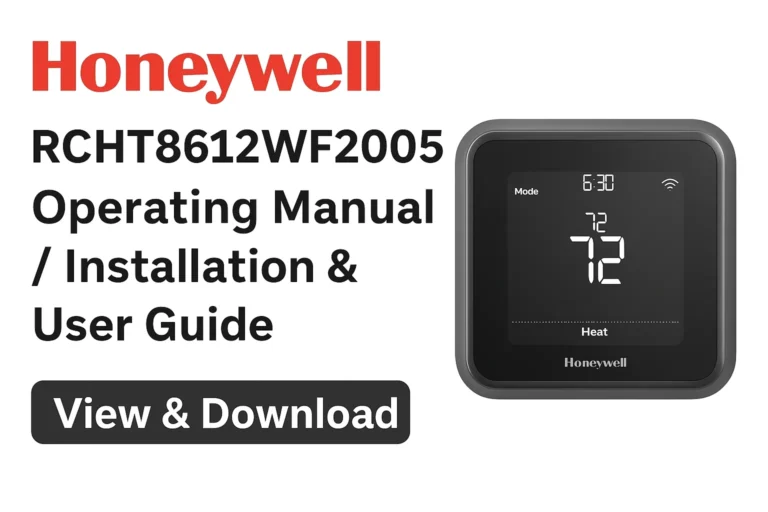
- Honeywell RCHT8612WF2005 Operating Manual
- Honeywell RTH8500D Operating Manual
Conclusion
The Honeywell RTH2520B thermostat is designed for simple installation and reliable performance. With the manuals provided above, you can easily install, configure, and troubleshoot your thermostat. Following the official guide ensures accurate wiring and long-lasting operation.
Download the official Honeywell RTH2520B manual PDFs for complete setup and system information.