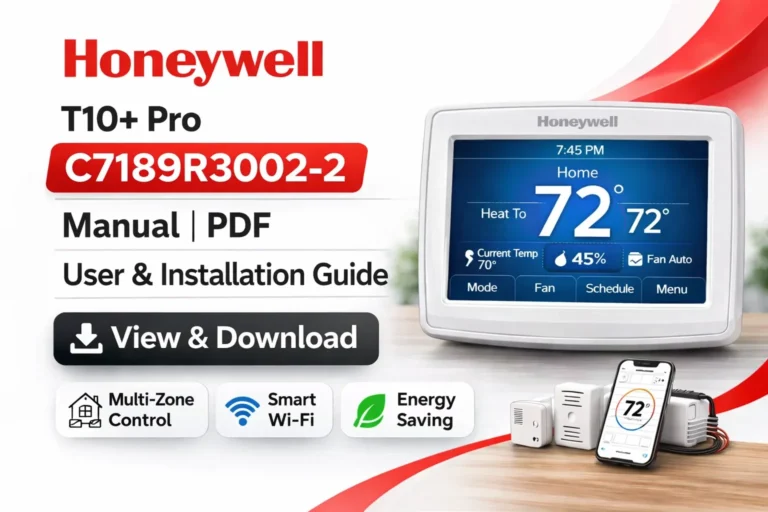
Honeywell T10+ Pro THX321WF3003W Manual | PDF User & Install Guide
On this page, you can view and download the Honeywell T10+ Pro THX321WF3003W Manual (PDF). This is the latest iteration of the T10 series, featuring RedLINK 3.0 technology. Whether you are looking for the User Guide, Professional Installation Guide, or technical Product Data, we have provided direct access to the official documentation below.
The THX321WF3003W is the “No Sensor Included” version of the T10+ Pro, allowing you to customize your setup by adding RedLINK sensors as needed.
View & Download Honeywell T10+ Pro THX321WF3003W Manual (PDF) – User Guide
The Honeywell T10+ Pro THX321WF3003W comes equipped with a wide array of features designed to ensure optimal comfort. Whether you are managing a single room or an entire home, this smart thermostat provides precise control. The User Guide (PDF) includes step-by-step instructions for users who wish to:
- Set up thermostat controls and familiarize yourself with the user interface.
- Create heating and cooling schedules for energy efficiency.
- Connect to Wi-Fi and set up mobile app control for remote management.
- Prioritize comfort by understanding the role of room sensors.
- Manage humidity and ventilation (system dependent).
- Ensure safety and maintenance guidelines are followed for long-lasting performance.
The Honeywell T10+ Pro THX321WF3003W User Guide is perfect for homeowners looking to easily manage their thermostat settings without requiring professional help.
View & Download Professional Installation Guide: Honeywell T10+ Pro THX321WF3003W
For HVAC technicians and advanced users, the Professional Installation Guide (PDF) is an essential resource. It includes detailed wiring diagrams, system configuration, and installation steps to ensure that your Honeywell T10+ Pro is set up correctly.
The guide provides information on:
- Detailed wiring diagrams and terminal functions to make installation straightforward.
- Zoning setup and multi-stage HVAC system configurations.
- Compatibility information for various heating, ventilation, and air conditioning (HVAC) systems.
- Mounting instructions and placement tips to ensure optimal thermostat performance.
- Network and sensor pairing instructions for seamless smart home integration.
View & Download Honeywell T10+ Pro THX321WF3003W: Product Data Sheet
The Product Data Sheet (PDF) offers in-depth technical details that are essential for contractors, engineers, and anyone involved in the selection of smart thermostats for residential or light commercial installations. This document includes:
- Specifications such as power requirements, electrical ratings, and dimensions.
- Supported communication protocols for seamless integration with other smart devices.
- Environmental operating ranges and compliance certifications.
- Mounting specifications to ensure the thermostat is placed in an optimal location.
Honeywell T10+ Pro THX321WF3003W Overview: Features & Benefits
The Honeywell T10+ Pro THX321WF3003W is a high-performance smart thermostat designed for modern homes and businesses. It includes advanced room sensors for precise temperature control, helping you maintain comfort while maximizing energy savings.
Key Features of the Honeywell T10+ Pro THX321WF3003W
- Wireless room sensors included in the box for precise room temperature control.
- Wi-Fi connectivity allows for mobile app control via the Honeywell Home app.
- Smart home integration with Amazon Alexa, Google Assistant, Apple HomeKit, and more.
- Adaptive recovery learns how long it takes your system to reach the desired temperature, ensuring that the thermostat adjusts based on your heating and cooling needs.
- Zoning support for homes with multiple zones, providing better control over different areas of your home.
- Humidity and ventilation control (system dependent), helping to maintain a comfortable indoor air quality.
- Geofencing capabilities that automatically adjust settings based on your location, enhancing energy savings.
Why Choose the Honeywell T10+ Pro THX321WF3003W?
- Energy efficiency: Save on heating and cooling costs by conditioning only the rooms that need it with the wireless room sensors.
- Smart automation: Create schedules and automate temperature adjustments based on occupancy or time of day.
- Easy installation: Professional-grade control that is still easy to install with the provided guides.
- Advanced system compatibility: The T10+ Pro supports a wide range of HVAC systems, including multi-stage furnaces, heat pumps, and zoned systems.
How to Install the Honeywell T10+ Pro THX321WF3003W Thermostat: Step-by-Step
Follow these simplified installation steps, or refer to the Professional Installation Guide for more detailed instructions:
- Power off your HVAC system at the breaker panel to ensure safety during installation.
- Remove the old thermostat and label each wire according to the existing terminals.
- Mount the baseplate of the new Honeywell T10+ Pro securely to the wall.
- Connect wires to the corresponding terminals based on the wiring diagram.
- Attach the thermostat display to the mounted baseplate.
- Restore power to your HVAC system and complete the on-screen setup wizard.
- Pair the room sensor(s) with the thermostat for room priority settings.
Important: Most installations will require a C-wire for full functionality. If you’re unsure, it’s recommended to consult a professional installer.
Troubleshooting Common Issues with the Honeywell T10+ Pro
Here are a few common troubleshooting steps for the Honeywell T10+ Pro:
- Thermostat not powering on: Check the circuit breaker and ensure the C-wire is correctly connected.
- Room sensor not connecting: Ensure that the sensor is within range and the batteries are functional.
- Wi-Fi issues: Reconnect the thermostat to the Wi-Fi network or move the router closer.
- Temperature readings seem inaccurate: Recalibrate or reposition the sensor for more accurate readings.
How to Connect the Honeywell T10+ Pro THX321WF3003W to Your Smart Home
The T10+ Pro supports integration with major smart home systems, allowing you to control the thermostat using voice commands or mobile apps. Compatible systems include:
- Amazon Alexa
- Google Assistant
- Apple HomeKit (availability may vary by region)
- SmartThings
Once connected, you can control your thermostat remotely, create custom schedules, and even automate temperature changes based on your home’s occupancy.
Maximizing Energy Savings with the Honeywell T10+ Pro
To maximize the energy efficiency of your Honeywell T10+ Pro:
- Utilize room sensors to prioritize comfort in occupied areas.
- Take advantage of geofencing to switch to energy-saving modes when you’re not at home.
- Use adaptive scheduling to automatically adjust settings based on your lifestyle and routines.
- Monitor humidity and ventilation for better indoor air quality and energy efficiency.
🆚 Extensive Comparison: Honeywell T10+ Pro vs. Popular Smart Thermostats
Choosing the right smart thermostat can be overwhelming, especially with so many options available. Below is a detailed comparison of the Honeywell T10+ Pro THX321WF3003W against other leading smart thermostats — including models from Ecobee, Google Nest, and Emerson Sensi.
🔍 Comparison at a Glance (Feature Overview)
| Feature / Capability | Honeywell T10+ Pro THX321WF3003W | Ecobee SmartThermostat Premium | Google Nest Learning Thermostat (Latest) | Emerson Sensi Touch Wi‑Fi |
|---|---|---|---|---|
| Room Sensors Included | ✅ Included | ✅ Included | ❌ Not included | ❌ Not included |
| Occupancy / Motion Sensing | ✅ Adaptive & priority‑based | ✅ Yes | ✅ Yes (built‑in) | ❌ No |
| Zoning Support | ✅ Advanced support | ⚠️ Limited (uses sensors) | ❌ Basic | ❌ Basic |
| Smart Home Integration | Alexa, Google, Apple HomeKit, SmartThings | Alexa, Google, Apple HomeKit, SmartThings | Alexa, Google (limited HomeKit via bridge) | Alexa, Google |
| Learning Schedule Capabilities | 🔹 No (user‑controlled) | ✅ Adaptive learning | ✅ Learning | 🔹 No |
| Humidity & Ventilation Control | ✅ (system dependent) | ✅ Yes | ⚠️ Some support | ❌ No |
| Touchscreen Display | ✅ Large touchscreen | ✅ Large touchscreen | ⚠️ Dial + Display | ✅ Touchscreen |
| Voice Control Built‑In | ❌ Requires connected assistant | ☁️ Via connected assistant | ☁️ Via connected assistant | ☁️ Via connected assistant |
| Energy Reporting & Alerts | ✅ Yes | ✅ Yes | ✅ Yes | 🔹 Basic |
| Professional Installation Support | ✅ Full diagrams | ⚠️ Basic diagrams | 🔹 Limited | 🔹 Limited |
| Price Tier | 🔸 Mid‑Premium | 🔸 Premium | 🔸 Mid‑Premium | 🔹 Budget‑Mid |
📌 In‑Depth Comparison — Feature Breakdown
1. Room Sensors & Comfort Control
- Honeywell T10+ Pro: Comes with wireless room sensors included — offering true room priority comfort by letting you choose which room’s temperature matters most based on occupancy.
- Ecobee SmartThermostat Premium: Also includes sensors and offers advanced occupancy detection, but prioritization focuses more on overall comfort rather than zone‑by‑zone precision.
- Nest Learning Thermostat: Relies mainly on built‑in sensors and learning, not dedicated remote sensors.
- Sensi Touch Wi‑Fi: No room sensors included — only thermostat location is measured, which may lead to uneven comfort in multi‑room homes.
👉 T10+ Pro wins for multi‑room zoning and prioritization.
2. Scheduling & Learning Capabilities
- Honeywell T10+ Pro: Users manually create schedules, offering direct control and predictability.
- Ecobee Premium: Adaptive learning + occupancy analytics help fine‑tune the schedule over time.
- Nest Learning Thermostat: Famous for its self‑learning behavior, adjusting to your routines automatically.
- Sensi Touch: Manual scheduling — simple but less smart automation.
👉 Nest and Ecobee excel in adaptive learning; T10+ Pro excels in manual control with precision.
3. Smart Home Ecosystem Support
| Ecosystem | T10+ Pro | Ecobee Premium | Nest Learning | Sensi Touch |
|---|---|---|---|---|
| Amazon Alexa | ✅ | ✅ | ✅ | ✅ |
| Google Assistant | ✅ | ✅ | ✅ | ✅ |
| Apple HomeKit | ✅ | ✅ | ⚠️ (limited) | ❌ |
| SmartThings | ✅ | ✅ | ❌ | ❌ |
👉 T10+ Pro offers one of the broadest compatibility sets — including full HomeKit support without workarounds.
4. Advanced HVAC & Zoned System Support
- T10+ Pro: Designed for multi‑stage furnaces, heat pumps, and zoned systems, backed by a Professional Installation Guide with detailed wiring.
- Ecobee Premium: Good wide compatibility, but optional accessories are sometimes needed for complex HVAC systems.
- Nest Learning: Best for simpler single‑stage systems; advanced systems may require additional equipment.
- Sensi Touch: Basic HVAC compatibility — sufficient for most single‑stage systems.
👉 T10+ Pro is superior for complex HVAC environments and professional installations.
5. Humidity & Ventilation Management
- T10+ Pro: Capable of managing humidity and ventilation devices (system dependent).
- Ecobee Premium: Strong humidity control features built in and supported.
- Nest Learning: Limited humidity support.
- Sensi Touch: Basic thermostat control only.
👉 Ecobee and T10+ Pro share an edge here; T10+ Pro excels when tied into full HVAC and ventilation systems.
6. Energy Savings & Reporting
| Feature | T10+ Pro | Ecobee Premium | Nest Learning | Sensi Touch |
|---|---|---|---|---|
| Geofencing | ✅ Yes | ✅ Yes | ✅ Yes | 🔹 Basic |
| Smart Alerts | ✅ Yes | ✅ Yes | ✅ Yes | 🔹 Basic |
| Energy Reports | ✅ Yes | ✅ Yes | ✅ Yes | ❌ No |
👉 T10+ Pro and Ecobee are top‑tier for energy insights and automated savings.
🧠 Which Thermostat Should You Choose?
🏠 Choose the Honeywell T10+ Pro if:
✔ You want included room sensors with occupancy‑based room priority
✔ You have a zoned or multi‑stage HVAC system
✔ You need broad smart home support including HomeKit
✔ You want professional‑grade installation support and wiring detail
Download More:
FAQs
The Honeywell T10+ Pro is a smart thermostat with wireless room sensors, Wi-Fi connectivity, and advanced features like geofencing and adaptive scheduling for improved comfort and energy savings.
Yes, the Honeywell T10+ Pro comes with wireless room sensors included, allowing for precise room prioritization based on occupancy.
Power off the HVAC system.
Mount the baseplate and connect the wires as per the provided diagram.
Attach the thermostat and complete the on-screen setup.
Yes, it integrates with Amazon Alexa, Google Assistant, Apple HomeKit, and SmartThings for voice control and automation.
The T10+ Pro is compatible with multi‑stage furnaces, heat pumps, zoned systems, and IAQ devices.
The thermostat uses room sensors, geofencing, and adaptive scheduling to optimize energy use by prioritizing comfort in occupied rooms and adjusting temperature when you’re away.
Yes, a C-wire is generally required for full functionality. If you’re unsure, consult a professional installer.
Follow the on-screen setup process in the Honeywell Home app to connect the thermostat to your Wi-Fi network.
Yes, you can control the T10+ Pro remotely via the Honeywell Home app or compatible smart assistants like Amazon Alexa and Google Assistant.
Conclusion: Why Choose the Honeywell T10+ Pro THX321WF3003W?
The Honeywell T10+ Pro THX321WF3003W is the ideal thermostat for homeowners looking for precision control, energy savings, and easy smart home integration. With advanced features like room sensors, adaptive scheduling, and geofencing, it is perfect for modern homes and light commercial settings.
For a detailed installation guide, product specifications, and troubleshooting tips, download the Honeywell T10+ Pro THX321WF3003W User Guide, Installation Guide, and Product Data Sheet (PDF).