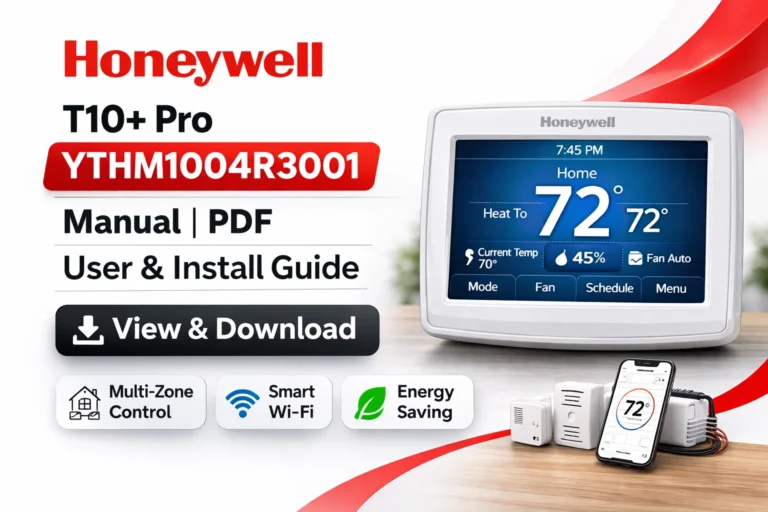
Honeywell T10+ Pro YTHM1004R3000 Manual | PDF User & Install Guide
On this page, you can access and download the Honeywell T10+ (Plus) Pro YTHM1004R3000 User Manual (PDF). This model of the Honeywell T10+ Pro thermostat includes the T10+ Thermostat, Equipment Interface Module (EIM), Integrated Air Sensor (IAS), and Remote Air Temperature Sensors (RATS) / Duct Air Temperature Sensors (DATS). The combination of these advanced components offers enhanced temperature control and energy efficiency for multi-zone HVAC systems.
Whether you’re a homeowner looking to optimize comfort, or an HVAC professional installing the system, you will find all the essential documents here for setup, troubleshooting, and proper maintenance.
What’s Included in the Honeywell T10+ Pro YTHM1004R3000 Kit?
The Honeywell T10+ Pro YTHM1004R3000 comes as a comprehensive kit that includes:
- T10+ Pro Thermostat: The main control unit, featuring a touchscreen interface for easy operation.
- Equipment Interface Module (EIM): Connects the thermostat to the HVAC system and enables multi-zone control.
- Integrated Air Sensor (IAS): Measures and controls temperature and humidity in different areas.
- Remote Air Temperature Sensors (RATS) / Duct Air Temperature Sensors (DATS): Ensure that each zone or room is monitored for accurate temperature readings.
By integrating all these components, you can achieve precise control over multiple zones and ensure consistent comfort throughout your home or business.
Key Features of the Honeywell T10+ Pro YTHM1004R3000
The Honeywell T10+ Pro YTHM1004R3000 is equipped with several advanced features designed to improve HVAC system control, comfort, and energy efficiency:
- Multi-Zone Control: With the inclusion of the EIM and multiple sensors (RATS/DATS), the T10+ Pro enables precise control over different zones in your home or office.
- Wi-Fi Connectivity: Control your thermostat from anywhere using the Honeywell Home App, which allows remote access and management.
- Smart Home Integration: Works seamlessly with Amazon Alexa, Google Assistant, Apple HomeKit, and SmartThings, providing full voice control and automation.
- Advanced Sensors for Efficiency: The IAS and sensors allow for real-time data collection, ensuring that the system adjusts according to the current conditions in every zone.
- Geofencing: Automatically adjusts the temperature when you leave or return home, enhancing energy savings.
- Adaptive Scheduling: Learns your HVAC system’s behavior and adjusts start times to optimize energy usage based on your routine.
View & Download Honeywell T10+ Pro YTHM1004R3000 User Manual (PDF)
The user manual provides step-by-step instructions for setting up and operating the Honeywell T10+ Pro YTHM1004R3000 thermostat. The guide covers the following:
Initial Setup
- Learn how to install and configure the thermostat.
- Connect to Wi-Fi and set up mobile app control for remote access.
System Configuration
- How to set up the system for multiple zones using the EIM, IAS, and sensors.
- Understand the functionality of each sensor and how they contribute to precise temperature control.
Room & Duct Sensors Setup
- Integrating the RATS/DATS sensors for multi-zone temperature monitoring and adjustment.
Smart Home Integration
- Instructions for integrating the thermostat with Amazon Alexa, Google Assistant, and other smart home platforms.
View & Download Professional Installation Guide: Honeywell T10+ Pro YTHM1004R3000
The Professional Installation Guide is an essential document for HVAC professionals or advanced users. It includes:
- Wiring Diagrams: Clear diagrams to ensure correct wiring and connections for the thermostat and its components.
- HVAC System Compatibility: A detailed list of compatible systems to ensure your setup runs smoothly.
- Zoning Setup: Step-by-step instructions on setting up multiple zones with the EIM and RATS/DATS.
- Mounting Instructions: Ensure correct placement of the thermostat for optimal performance.
- Sensor Pairing: Detailed instructions for integrating the RATS/DATS sensors.
View & Download Honeywell T10+ Pro YTHM1004R3000 Product Data Sheet
The Product Data Sheet includes all the technical specifications and features of the Honeywell T10+ Pro. It provides:
- Power Requirements: Details on power supply and electrical ratings.
- Communication Protocols: Information on the protocols supported for smart home connectivity.
- Environmental Ranges: Operating conditions for both residential and commercial environments.
How to Install the Honeywell T10+ Pro YTHM1004R3000 Thermostat
Installing the Honeywell T10+ Pro thermostat is straightforward with the provided Professional Installation Guide. Here’s an overview of the installation process:
- Power off the HVAC system at the breaker panel to ensure safety.
- Remove the old thermostat and label the wires for easy identification.
- Mount the baseplate of the new thermostat securely.
- Connect the wiring following the detailed wiring diagrams.
- Attach the thermostat to the baseplate and restore power to the HVAC system.
- Complete the on-screen setup process via the thermostat’s interface.
- Pair the RATS/DATS sensors for precise room and duct temperature control.
Key Installation Tips
- Ensure the C-wire is connected for full functionality.
- Double-check sensor placement to ensure accuracy in temperature readings.
- Mount the thermostat in a central location to prevent any temperature fluctuations due to placement near heat or cooling sources.
Troubleshooting Common Issues with the Honeywell T10+ Pro YTHM1004R3000
If you encounter any issues with your thermostat, try these troubleshooting steps:
- Thermostat not powering on: Verify the C-wire connection and check if the breaker is on.
- Room sensor not connecting: Ensure the sensor is within range and check or replace batteries.
- Wi-Fi connection issues: Ensure the thermostat is within Wi-Fi range or attempt to reconnect.
- Inaccurate temperature readings: Recalibrate the sensors and adjust their placement for better results.
How to Connect the Honeywell T10+ Pro YTHM1004R3000 to Your Smart Home
Integrating your Honeywell T10+ Pro with smart home systems is simple:
- Amazon Alexa: Use voice commands to control your thermostat.
- Google Assistant: Manage your thermostat via voice commands.
- Apple HomeKit: Control the thermostat using the Home app on iOS devices.
- SmartThings: Integrate with the SmartThings hub for added smart automation.
Maximizing Energy Savings with the Honeywell T10+ Pro
To maximize energy savings, take advantage of the following features:
- Use Adaptive Scheduling: Let the thermostat learn your habits and adjust the system for energy efficiency.
- Enable Geofencing: Automatically adjust the temperature when you leave or return home.
- Optimize Zoning: Use RATS/DATS sensors to adjust temperatures based on occupancy and room usage.
Why Choose the Honeywell T10+ Pro YTHM1004R3000?
The Honeywell T10+ Pro YTHM1004R3000 stands out from other smart thermostats due to its robust multi-zone capabilities and advanced sensor technology. Whether you’re controlling a large home with multiple rooms or a commercial space, this thermostat delivers optimal comfort and energy efficiency.
Improved Comfort and Convenience
- Precise Temperature Control: Wireless room sensors and duct sensors continuously monitor and adjust the temperature, ensuring that your environment remains comfortable.
- Personalized Scheduling: The thermostat can learn your routine and adjust heating and cooling cycles to match your lifestyle, minimizing energy waste while maintaining comfort.
Easy Integration into Smart Homes
- Voice Control: Easily integrate with Amazon Alexa, Google Assistant, Apple HomeKit, and SmartThings for hands-free operation.
- Mobile App Control: The Honeywell Home App gives you the freedom to manage your thermostat from anywhere in the world, making it easier to adjust settings when you’re away.
Enhanced Energy Efficiency
- Geofencing: The thermostat can detect when you leave or return home and adjust the settings accordingly, which leads to significant energy savings.
- Adaptive Scheduling: Optimizes HVAC performance based on your daily schedule, reducing energy consumption when not needed.
Extensive Comparison: Honeywell T10+ Pro vs. Other Smart Thermostats (In‑Depth)
Choosing the right smart thermostat can make a major difference in energy efficiency, comfort, system compatibility, user experience, and long‑term HVAC performance. Below is a detailed comparison between the Honeywell T10+ Pro YTHM1004R3000 and other leading smart thermostats — including Ecobee Smart Thermostat Premium, Google Nest Learning Thermostat (latest version), and Emerson Sensi Touch Wi‑Fi.
We compare these products across key attributes that matter most to homeowners, HVAC professionals, and smart home enthusiasts:
📌 1. Design & User Interface
| Feature | Honeywell T10+ Pro | Ecobee Smart Thermostat Premium | Google Nest Learning Thermostat | Emerson Sensi Touch |
|---|---|---|---|---|
| Physical Display | Touchscreen with intuitive menus | Large touchscreen with rich UI | Sleek rotating dial display | Touchscreen with simple UI |
| Ease of Use | Moderate (more features means learning curve) | Easy + guided setup | Extremely intuitive | Very easy |
| App Interface | Honeywell Home App | Ecobee App | Google Home App | Sensi App |
Analysis:
- Honeywell T10+ Pro balances advanced controls with a full touch UI — excellent for power users.
- Nest Learning has the simplest interface with minimal buttons; great for beginners.
- Ecobee Premium offers one of the most polished app experiences with clear visuals and feedback.
- Sensi Touch is straightforward, ideal for users who want quick control without complexity.
📌 2. Zoning & Multi‑Sensor Support
| Feature | T10+ Pro | Ecobee Premium | Nest Learning | Sensi Touch |
|---|---|---|---|---|
| Multi‑Zone Support | Yes (via EIM + sensors) | Yes (SmartSensor support) | Optional (requires paid sensors) | No |
| Room Sensors Included | Yes (RATS/DATS) | Yes (SmartSensors) | Optional add‑ons | No |
| Occupancy Detection | Yes (RedLINK sensors) | Yes (Follow Me & SmartSensors) | Optional | No |
Analysis:
- Honeywell T10+ Pro excels in multi‑zone HVAC setups due to its native support for an Equipment Interface Module (EIM) and multiple sensors.
- Ecobee Premium also performs very well with multi‑room sensing, though external sensor placement and ecosystem dependence matter.
- Nest Learning Thermostat learns your schedule over time, but effective zoning requires additional sensor purchases — and you still won’t get true zone‑based HVAC control in many systems.
- Sensi Touch is more suited for single‑zone homes without advanced zoning needs.
📌 3. Smart Home Integration
| Smart Assistant | T10+ Pro | Ecobee Premium | Nest Learning | Sensi Touch |
|---|---|---|---|---|
| Alexa | ✅ | ✅ | ✅ | ✅ |
| Google Assistant | ✅ | ✅ | ✅ | ✅ |
| Apple HomeKit | ✅ | ✅ | ❌ | ❌ |
| SmartThings | ✅ | ✅ | Limited | Limited |
| IFTTT | Limited | Yes | Yes | Yes |
Analysis:
- Honeywell T10+ Pro and Ecobee Premium provide the broadest ecosystem compatibility — especially for Apple HomeKit, which Nest does not officially support.
- Nest provides excellent deep integration within the Google ecosystem, especially if you already use Google Nest devices.
- Sensi Touch covers the basics but lacks advanced smart home automation compared to others.
📌 4. Scheduling & Learning Algorithms
| Feature | T10+ Pro | Ecobee Premium | Nest Learning | Sensi Touch |
|---|---|---|---|---|
| Manual Scheduling | Yes | Yes | Yes | Yes |
| Adaptive Learning | Yes (Adaptive Recovery) | Yes (Eco+ and intelligent scheduling) | Yes (Auto‑learns patterns) | No |
| Geofencing | Yes | Yes | Yes | No |
| Predictive Behavior | Moderate | Strong | Very Strong | Basic |
Analysis:
- Nest’s biggest strength is its self‑learning capability — it observes behavior over time and automatically builds a schedule tailored to your lifestyle.
- Ecobee Premium blends manual control with smart features like Eco+ that optimize comfort and savings.
- T10+ Pro’s Adaptive Recovery learns how your system warms or cools your spaces and starts earlier to hit target temperature — vital for complex systems.
- Sensi Touch is basic and relies mostly on manual scheduling.
📌 5. HVAC Compatibility & Installation
| Aspect | T10+ Pro | Ecobee Premium | Nest Learning | Sensi Touch |
|---|---|---|---|---|
| Works with Multi‑Stage Systems | Excellent | Very Good | Good | Good |
| Compatibility with Zoned Systems | Excellent (Via EIM) | Good | Limited | Limited |
| C‑Wire Requirement | Yes | Optional (PEK available) | Not always required | Recommended |
| Professional Installation | Recommended | Optional | Optional | Optional |
Analysis:
- Honeywell is often the best choice for complex HVAC systems (multi‑stage, zoned, commercial environments).
- Ecobee also supports advanced systems and offers a Power Extender Kit (PEK) for homes without a C‑wire.
- Nest is simplest to install but performs best with a C‑wire.
- Sensi Touch is the easiest to install, but supports fewer advanced configurations.
📌 6. Energy Savings & Reporting
| Feature | T10+ Pro | Ecobee Premium | Nest Learning | Sensi Touch |
|---|---|---|---|---|
| Real‑Time Energy Reports | Basic | Detailed | Yes | Basic |
| Energy Usage Tracking | Moderate | Strong | Strong | Moderate |
| Eco Mode | Yes | Yes | Yes | Yes |
Analysis:
- Ecobee Premium often delivers the most comprehensive energy reporting, especially in the app dashboard.
- Nest combines energy insights with automatic learning patterns that dynamically adjust temperatures.
- T10+ Pro provides essential reporting plus smart features like geofencing and adaptive recovery.
- Sensi Touch delivers basic reporting focused mostly on schedule adherence rather than deep analytics.
Download More:
FAQs
It is a high-performance smart thermostat designed for precise control of multi-zone HVAC systems. It includes the thermostat, EIM, IAS, and sensors.
Yes, it comes with wireless room sensors and duct sensors for accurate temperature control.
Follow the detailed installation guide to wire the thermostat, set up the EIM, and integrate the sensors.
It works with multi-stage, zoned, and conventional HVAC systems.
Yes, it features energy-saving functionalities like geofencing, adaptive scheduling, and room sensors.
Conclusion:
The Honeywell T10+ Pro YTHM1004R3000 is an advanced smart thermostat offering precise multi-zone control, energy efficiency, and seamless integration with smart home systems. With features like adaptive scheduling, geofencing, and remote control via the Honeywell Home App, it provides personalized comfort while saving on energy costs. Ideal for both residential and light commercial applications, this thermostat is designed for easy installation and optimal HVAC system performance.
Upgrade to the Honeywell T10+ Pro YTHM1004R3000 for smarter, more efficient home comfort today!