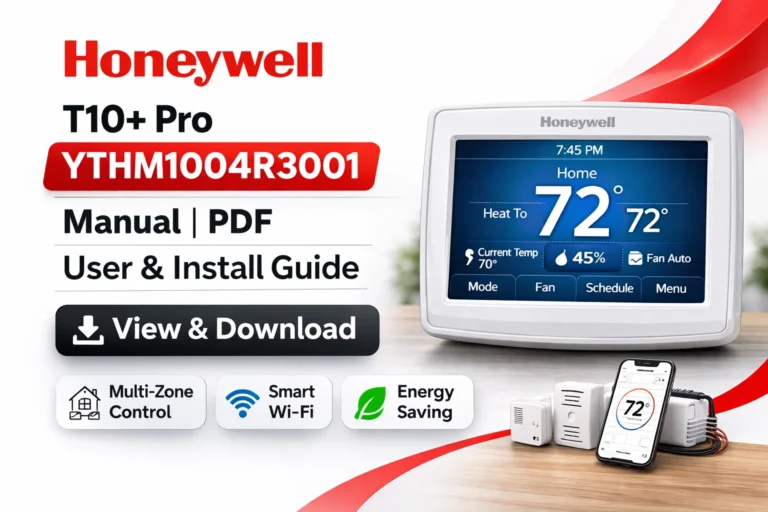
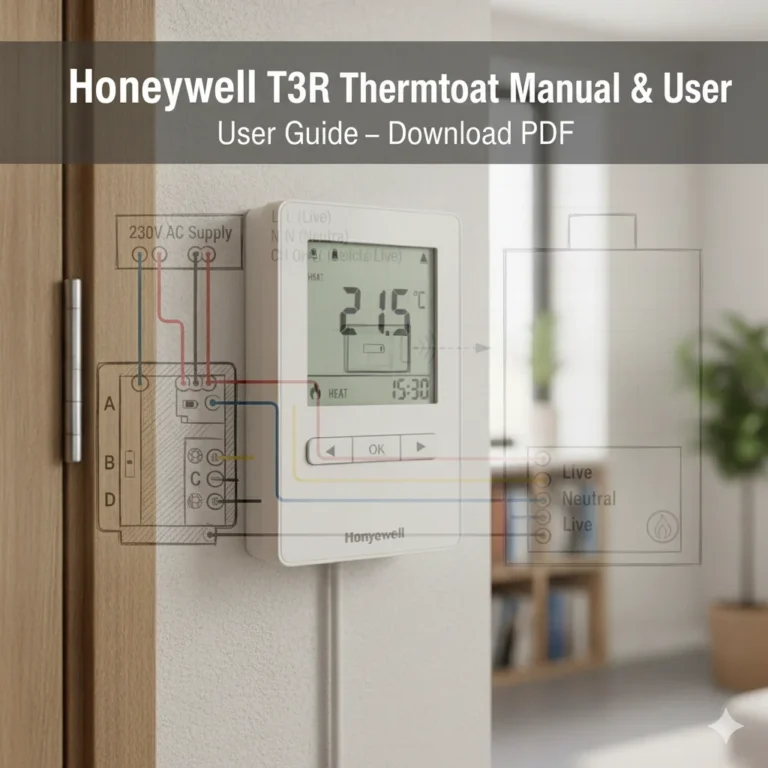
Honeywell T10 Pro THX321WFS2001W Manual – View & Download THX321WFS2001W User Guide (PDF)
On this page, you can view and download the Honeywell T10 Pro THX321WFS2001W Manual (PDF) — the complete User Guide for this advanced smart thermostat with sensor included. Whether you are an installer, homeowner, or HVAC professional, you will find everything you need to install, configure, troubleshoot, and optimize the T10 Pro thermostat. Get instant access to the THX321WFS2001W Manual in downloadable PDF format and keep it for offline reference.
The Honeywell T10 Pro is a high-performance thermostat designed for modern homes, zoned systems, and smart automation. With its included wireless room sensor, you can prioritize comfort where it matters most — bedroom, nursery, office, or living area — while maintaining precision temperature control throughout your home.
View & Download Honeywell THX321WFS2001W Manual (PDF) – User Guide Here
The THX321WFS2001W User Guide (PDF) is the main manual for everyday users. It walks you through:
- thermostat controls and user interface
- scheduling heating and cooling programs
- Wi-Fi setup and mobile app control
- understanding room sensors
- creating room priorities
- adjusting humidity & ventilation (system dependent)
- safety and maintenance guidelines
This THX321WFS2001W Manual is perfect for homeowners who want to get the most from their thermostat without needing technical training.
View & Download Honeywell THX321WFS2001W Manual (PDF) – Professional Installation Guide Here
The Professional Installation Guide is specifically designed for certified HVAC technicians and advanced DIY users. Inside you will find:
- detailed wiring diagrams and terminal functions
- zoning and multi-stage system configuration
- compatibility tables for different HVAC systems
- mounting instructions and placement best practices
- commissioning and system verification procedures
- sensor pairing steps and network configuration
This guide ensures that your thermostat is installed safely, accurately, and in full compliance with HVAC standards.
View & Download Honeywell THX321WFS2001W Manual (PDF) – Product Data
The Product Data Sheet delivers comprehensive technical information, including:
- specification tables and model identifiers
- power requirements and electrical ratings
- environmental operating ranges
- supported communication protocols
- physical dimensions and mounting specs
- regulatory and compliance certifications
This document is ideal for contractors, engineers, wholesalers, and technical evaluators comparing smart thermostats.
Honeywell T10 Pro THX321WFS2001W (Sensor Included) Smart Thermostat Overview
The Honeywell T10 Pro THX321WFS2001W Smart Thermostat with Sensor Included is a premium-grade thermostat created for homes that demand precision comfort and smart energy management. Using advanced smart room sensors, the T10 Pro can measure temperature, humidity, and occupancy — automatically adjusting comfort based on where people actually are in the home.
Engineered for both residential and light commercial environments, it supports a wide variety of heating and cooling systems, including heat pumps, multi-stage furnaces, and ventilation systems.
Key Features of the Honeywell THX321WFS2001W Smart Thermostat
- Includes wireless room sensor in the box
- Prioritizes rooms based on temperature and occupancy
- Large color touchscreen for easy navigation
- Wi-Fi enabled with smartphone control
- Integrates with Google Assistant, Alexa, Apple Home, and more
- Auto changeover between heating and cooling
- Adaptive recovery learns how long your system takes to reach temperature
- Controls humidity, ventilation, and IAQ devices (system dependent)
- Geofencing and scheduling for energy savings
- Supports zoning applications
How to Install the Honeywell T10 Pro THX321WFS2001W Thermostat (Step-by-Step)
Below is a simplified overview. Always refer to the Professional Installation Guide for exact steps.
- Switch off HVAC power at breaker
- Remove existing thermostat faceplate
- Label each wire according to existing terminals
- Mount the new T10 Pro baseplate securely
- Connect wires to matching terminals per wiring diagram
- Attach the thermostat display to base
- Restore HVAC power
- Complete guided on-screen configuration
- Pair the included remote room sensor
Important: Most installations require a C-wire. When in doubt, use a professional installer.
Troubleshooting Your Honeywell T10 Pro Thermostat
Below are common issues covered in the THX321WFS2001W Manual:
- Thermostat won’t power on → check breaker and common wire
- Room sensor not connecting → reduce distance / replace batteries
- Wi-Fi disconnecting → rejoin network or move router closer
- Temperature feels incorrect → recalibrate or relocate sensor
- HVAC not running → verify wiring and system configuration
- Screen frozen → power cycle system and thermostat
The User Guide includes detailed flow charts and error code explanations.
Setting Up Your Honeywell T10 Pro THX321WFS2001W Thermostat
Initial setup includes:
- system identification wizard
- Wi-Fi network connection
- date, time, and scheduling preferences
- adding and prioritizing room sensors
- setting temperature limits
- enabling geofencing features
- enabling Adaptive Recovery
The intuitive touchscreen makes the process guided and user-friendly.
How to Connect the Honeywell T10 Pro Thermostat to Your Smart Home
The THX321WFS2001W supports major smart home ecosystems:
- Amazon Alexa
- Google Assistant
- Apple HomeKit (availability varies by region)
- SmartThings
- Honeywell Home App
- Resideo Total Connect Comfort
Once connected, you can control temperature using your phone or voice, create automations, and monitor energy use.
Optimizing Energy Savings with the Honeywell THX321WFS2001W Smart Thermostat
Maximize comfort while lowering utility bills using:
- occupancy-based sensor prioritization
- adaptive scheduling
- geofencing “away/home” switching
- optimized ventilation and humidity control
- smart alerts for maintenance reminders
- vacation mode
Real energy savings come from conditioning only the rooms that matter — exactly what the included sensor enables.
Honeywell T10 Pro THX321WFS2001W vs. Other Smart Thermostats
When choosing a smart thermostat today, homeowners and HVAC professionals alike are faced with a broad range of options — from budget-friendly Wi-Fi thermostats to advanced multi-sensor systems aimed at optimizing comfort and efficiency. The Honeywell T10 Pro THX321WFS2001W (with sensor included) stands out in this competitive landscape because it blends professional-grade control, smart room sensing, and flexible connectivity in a single solution.
Below, we compare the Honeywell T10 Pro with leading competitors to help you understand how it performs in everyday use and why it may be the right choice for your home or project.
Key Features Comparison
Compared to general consumer smart thermostats, the T10 Pro offers:
- included room sensor (many brands sell separately)
- superior zoned-system support
- wide compatibility with advanced HVAC systems
- comprehensive IAQ (indoor air quality) control
- professional installation capability
- advanced configuration menus for technicians
| Feature | Honeywell T10 Pro THX321WFS2001W | Standard Smart Thermostats (e.g., Basic Wi-Fi models) | Premium Smart Thermostats (e.g., Learning Thermostats) |
|---|
| Included Room Sensor | ✅ Included | ❌ Not included | ❌ Often optional accessory |
| Room Priority Comfort | ✅ Yes | ❌ No | Partial (limited sensor support) |
| Adaptive Scheduling | ✅ Supported | 🔹 Limited | ✅ Advanced learning |
| Zoning & Multi-Stage HVAC Support | ✅ Designed for zoning | ⚠️ Limited | ⚠️ Varies by model |
| Smart Home Integration | Alexa, Google Assistant, SmartThings | Alexa & Google | Alexa, Google, sometimes HomeKit |
| Mobile App Control | Full feature set | Basic controls | Full feature set |
| Humidity & Ventilation Control | Supported (system dependent) | Rare | Rare |
| Professional Installation Friendly | ✅ Yes | ⚠️ Limited | ⚠️ Limited |
Comfort & Control: The Advantage of Room-Based Sensing
Most standard smart thermostats rely solely on the temperature near the main thermostat unit. This approach works reasonably well only if the thermostat is centrally located in a consistently used space.
The Honeywell T10 Pro THX321WFS2001W outperforms this model because it:
- Includes a wireless room sensor in the box — not an optional extra.
- Detects temperature, motion, and occupancy in remote areas.
- Lets you prioritize the living areas where comfort matters most.
- Reduces energy use in unused areas while maintaining comfort where you need it.
This room-aware design is a key differentiator compared to many other smart thermostats.
Smart Home Integration & Ecosystem Support
All modern smart thermostats offer some connectivity features, but integration depth varies:
Honeywell T10 Pro:
- Works with Amazon Alexa, Google Assistant, SmartThings, and other automation hubs.
- Can be controlled via the Honeywell Home / Resideo app on iOS and Android.
- Supports automated triggers like geofencing and occupancy-based triggers using room sensors.
Other Competitors:
- Basic models support voice commands and remote control, but rarely offer advanced automations or occupancy features.
- Premium models with learning features may adjust over time but often don’t include room sensors as part of the base package.
Installation & HVAC Compatibility
Honeywell T10 Pro THX321WFS2001W:
- Designed from the ground up for wide HVAC compatibility, including:
- Multi-stage furnaces
- Heat pump systems
- Zoned systems
- Ventilation and IAQ devices
- The professional installation guide offers detailed wiring diagrams and configuration tips for complex setups.
Other Smart Thermostats:
- Many consumer-grade thermostats are optimized for simple single-stage heat/cool systems.
- Some higher-end models support advanced systems but often require paid add-ons or accessory sensors.
This makes the T10 Pro particularly appealing for homes with zoned systems or variable HVAC requirements.
Learning Capabilities vs. Manual Control
Some thermostats advertise “learning” features that observe your schedule and adjust automatically. While this concept has appeal, it isn’t always ideal for every household:
- Learning thermostats may take days or weeks to adapt.
- They can override user changes in ways that feel unpredictable.
- They often still rely on a central sensor without room detection.
In contrast, the Honeywell T10 Pro doesn’t rely on guesswork. Instead, it offers direct room priority settings, giving you explicit control over where comfort is applied and when — especially valuable in homes with irregular schedules or multiple zones.
Energy Savings & Practical Use
Energy savings depend on how well a thermostat adjusts to real usage patterns. In this area:
- Basic smart thermostats provide remote access and scheduling, but no occupancy intelligence.
- Learning thermostats may reduce energy over time, but often without user insight.
- The Honeywell T10 Pro:
- Uses sensor data to reduce conditioning in unused rooms.
- Supports geofencing to automatically switch to energy-saving mode when you leave.
- Offers detailed scheduling and humidity/ventilation control (when supported by your system).
This combination delivers measurable comfort and savings without requiring the thermostat to “guess” your behavior.
Summary: Why Choose the Honeywell T10 Pro THX321WFS2001W?
✔ Better comfort control thanks to multiple sensors
✔ Professional-grade compatibility with complex HVAC systems
✔ Comprehensive smart home integration
✔ Advanced energy-saving options without sacrificing convenience
✔ Clear setup and configuration options for users and technicians
If comfort precision, system flexibility, and real-world performance matter to you, the Honeywell T10 Pro THX321WFS2001W Manual-backed thermostat is more than just another Wi-Fi thermostat — it’s a robust smart home climate solution.
Best Practices for Using Your Honeywell T10 Pro THX321WFS2001W Thermostat
To maintain best results:
- place the wireless sensor away from vents and windows
- keep thermostat out of direct sunlight
- replace sensor batteries annually
- review schedules seasonally
- keep firmware updated
- maintain filters and system service
Correct sensor placement significantly improves comfort accuracy.
How to Update the Firmware of Your Honeywell T10 Pro THX321WFS2001W Thermostat
The thermostat typically updates automatically via Wi-Fi. To check firmware manually:
- Ensure thermostat is connected to Wi-Fi
- Open Honeywell Home or Resideo app
- Go to device settings
- Check Firmware / Software Version
- Tap Update if available
Do not interrupt power during an update.
Download More:
FAQs
Yes. This is the “with sensor included” model.
Download links on this page provide the User Guide, Installation Guide, and Product Data Sheet in PDF format.
In most installations, yes.
Yes. You can add several and prioritize them by schedule or occupancy.
Yes, local control works — but remote app and updates require Wi-Fi.
Yes, the T10 Pro supports a wide range of advanced HVAC systems.
Conclusion
The Honeywell T10 Pro THX321WFS2001W Smart Thermostat with Sensor Included delivers precision comfort, intelligent automation, and professional-grade control. With powerful zoning capability, remote access, and integration into leading smart home platforms, it is an ideal thermostat for modern connected homes.
Use the THX321WFS2001W Manual and User Guide (PDF) above to:
- install your thermostat correctly
- configure advanced features
- troubleshoot common issues
- maximize comfort and efficiency