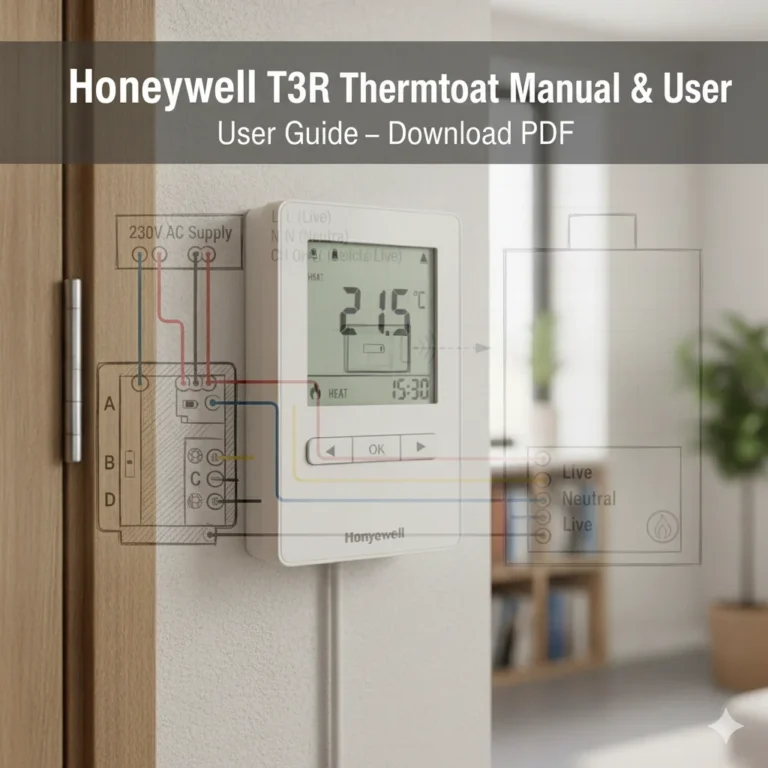
Honeywell TH1100DV1000U Operating Manual / Installation & User Guide
If you own or plan to install the Honeywell TH1100DV1000U thermostat, you’re in the right place. This page provides easy access to all the essential Honeywell TH1100DV1000U manuals, including the Operating Manual, Product Information Sheet, and Installation Guide.
These documents will help you understand your thermostat’s features, wiring configuration, and proper setup process. Whether you’re an installer, technician, or homeowner, you can find detailed instructions and diagrams to ensure your thermostat functions efficiently.
Below, you can view the manuals directly online or download them in PDF format for offline reference. Having these guides on hand will make installation, configuration, and troubleshooting much simpler.
📘 View & Download Honeywell TH1100DV1000U Operating Manual PDF
The Honeywell TH1100DV1000U Operating Manual provides step-by-step instructions for everyday use. It explains how to set temperatures, switch between heating and cooling modes, and adjust comfort levels according to your schedule.
This manual also includes information on:
- Understanding the display and buttons
- Adjusting temperature settings
- Troubleshooting common issues
- Battery replacement and maintenance tips
Whether you are using the thermostat for residential or light commercial purposes, this guide will help you operate it safely and efficiently.
📘 View & Download Honeywell TH1100DV1000U Product Information PDF
The Product Information PDF gives you an overview of the Honeywell TH1100DV1000U’s specifications and capabilities. It outlines the model’s key features, compatible HVAC systems, and technical details, making it a valuable resource for installers and buyers.
Inside, you’ll find:
- Model specifications and dimensions
- System compatibility details
- Electrical ratings and environmental requirements
- Product features and benefits
This document is ideal if you need a quick summary of what the thermostat offers before installation or purchase.
📘 View & Download Honeywell TH1100DV1000U Installation Guide PDF
For professionals and DIY enthusiasts, the Installation Guide provides clear, step-by-step instructions to correctly install the Honeywell TH1100DV1000U thermostat. Proper installation ensures the thermostat operates efficiently and maintains accurate temperature control.
In this guide, you’ll find:
- Detailed wiring diagrams
- Mounting instructions
- Configuration steps for system setup
- Safety precautions and installation best practices
By following the installation guide, you can avoid common setup errors and ensure your thermostat delivers reliable performance for years to come.
Honeywell Home TH1100DV1000U PRO 1000 Series Non-Programmable Thermostat
The Honeywell Home TH1100DV1000U PRO 1000 Series Non-Programmable Thermostat is a simple, reliable solution for maintaining consistent indoor comfort. Designed for ease of use and dependable performance, it offers precise temperature control without complicated programming—perfect for homeowners and professionals seeking straightforward operation and installation.
Honeywell TH1100DV1000U Non-Programmable Thermostat Owner Guide Installation Guide Specifications / Details
The Honeywell Home TH1100DV1000U PRO 1000 Series Non-Programmable Thermostat Installation Guide provides all the essential details and specifications needed for a quick, safe, and accurate installation. Designed for professional HVAC technicians and homeowners alike, this guide outlines wiring connections, system compatibility, mounting instructions, and performance specifications for the PRO 1000 Series thermostat. Whether you’re replacing an old unit or setting up a new system, this comprehensive installation reference ensures that your thermostat delivers reliable comfort control and energy efficiency from day one.
🧭 Overview
- Model: Honeywell TH1100DV1000/U Pro 1000 Vertical Non-Programmable Thermostat
- Type: Heat-only, non-programmable
- Mounting Orientation: Vertical
- Brand: Honeywell Home (manufactured by Resideo Technologies)
- Compatibility: Designed for 1-Heat systems
- System Types: Gas, oil, or electric heating systems with or without air conditioning; warm air, hot water, high-efficiency furnaces; 750 mV heating systems
- Power Supply: 24V AC or 750 mV
- Temperature Range: 40°F to 90°F (standard); 35°F to 90°F (garage setting)
- Humidity Range: 5% to 90% RH (non-condensing)
- Dimensions: 4.69″ H x 2.88″ W x 1.13″ D
- Weight: Approximately 1.76 oz
- Color: Premier White
- Display: Backlit LCD
- Warranty: 2 years
⚙️ Specifications
- Power Supply: 24V AC or 750 mV
- Temperature Range: 40°F to 90°F (standard); 35°F to 90°F (garage setting)
- Humidity Range: 5% to 90% RH (non-condensing)
- Dimensions: 4.69″ H x 2.88″ W x 1.13″ D
- Weight: Approximately 1.76 oz
- Color: Premier White
- Display: Backlit LCD
- Warranty: 2 years
🛠️ Installation Guide
Wallplate Installation
- Remove Thermostat: Carefully separate the thermostat from its wallplate.
- Position Wallplate: Place the wallplate on the wall where the thermostat will be installed. Ensure it is level.
- Mark Hole Positions: Use a pencil to mark the mounting hole positions.
- Drill Pilot Holes: Drill holes at the marked positions.
- Secure Wallplate: Insert wall anchors if necessary, then secure the wallplate to the wall using the provided screws.
Wiring
- Turn Off Power: Always turn off power to the heating system at the main circuit breaker or fuse box before installing or servicing the thermostat.
- Connect Wires: Connect the thermostat wires to the appropriate terminals on the wallplate. Refer to your heating system’s manual for specific wiring diagrams.
- Secure Connections: Ensure wires are securely fastened to prevent shorts.
- Attach Thermostat: After wiring, carefully attach the thermostat body to the mounted wallplate.
Battery Installation
- Locate Battery Compartment: Find the battery compartment on the back or side of the thermostat.
- Insert Batteries: Insert two fresh AAA alkaline batteries, observing the correct polarity (+/-).
- Close Compartment: Close the battery compartment cover.
📘 Operating Manual Highlights
Controls and Display
- Temperature Adjustment: Use the up and down arrows to adjust the temperature.
- System Mode: Use the slide switch to select the system mode: Heat, Off, or Cool.
- Fan Mode: Use the slide switch to select the fan mode: Auto or On.
- Display: The backlit LCD displays the current temperature and system status.
Operating Tips
- Set Temperature: Adjust the temperature using the up and down arrows. The thermostat will maintain the set temperature.
- Compressor Protection: The thermostat includes built-in compressor protection to prevent short cycling.
- Battery Replacement: Replace the batteries with fresh AAA alkaline batteries when the low battery indicator appears.
🧰 Troubleshooting
- Blank Display: Check if the thermostat is receiving power by verifying that the circuit breaker or fuse for the HVAC system is not tripped. If power is confirmed, try removing and reinserting the batteries.
- Error Messages: Refer to the troubleshooting section in the manual for specific error codes and their meanings.
- No Heat Output: Ensure the thermostat is set to the Heat mode and the desired temperature is set higher than the current room temperature.
Download More:
FAQ
To set the temperature, simply use the up (▲) or down (▼) buttons on the thermostat display. The screen will show your selected temperature, and the system will automatically adjust to maintain that setting.
No, this model is non-programmable, meaning it maintains a single set temperature until you manually change it. It’s ideal for users who prefer simple, manual operation.
The thermostat is compatible with heat-only or cool-only systems, such as conventional gas, oil, or electric furnaces, and air conditioning units. It’s not suitable for heat pump systems.
Gently pull the thermostat from its wall plate, then replace the old batteries with two fresh AA alkaline batteries. Reattach the thermostat to the wall plate, and it will power back on automatically.
A blank display usually indicates dead batteries or a power issue. Try replacing the batteries first. If the screen remains blank, check the system’s circuit breaker or wiring connections to ensure power is reaching the thermostat.
Conclusion
The Honeywell TH1100DV1000/U thermostat is an efficient and user-friendly solution for managing your heating system. By utilizing the downloadable manuals and guides provided above, you can ensure seamless installation, optimal operation, and easy troubleshooting. Whether you are a first-time user or need to refer back to the instructions, these resources will help you make the most out of your thermostat. Should you have any further questions or require assistance, don’t hesitate to consult the manuals or reach out for support.