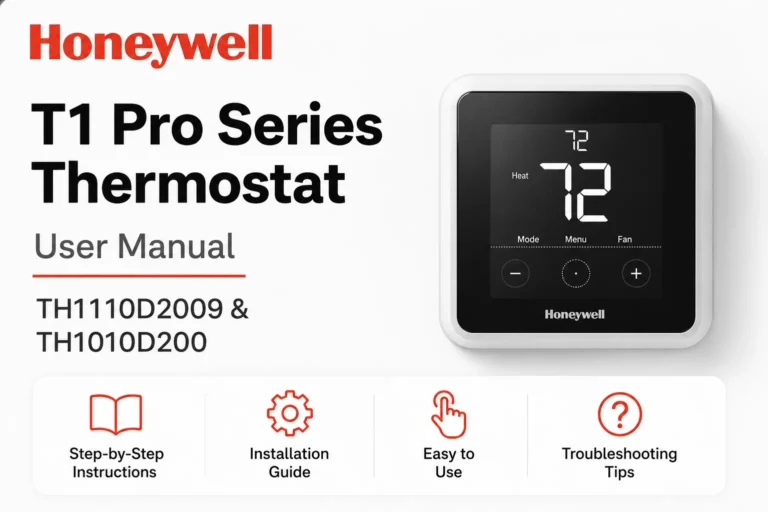
Honeywell Home T3R (T3H700RF0096) Manual: The Ultimate User Guide for Your Thermostat
Looking for the Honeywell T3R T3H700RF0096 Manual? You’re in the right place! Whether you’re setting up your new thermostat or need help with troubleshooting, this guide provides easy access to the Honeywell T3R User Guide, Quick Start Guide, and Product Specification Sheet. You can view and download all the essential documents directly from this page to ensure a seamless experience with your Honeywell T3R Programmable Thermostat.
📘View / Download Honeywell T3H700RF0096 Manual/User Guide PDF
For your convenience, we provide easy access to the full Honeywell T3R Manual in PDF format. Whether you’re setting up your new thermostat or troubleshooting an issue, the manual contains all the essential information. Click below to download the official Honeywell T3R User Guide:
📘View / Download Honeywell Home T3R T3H700RF0096 Programmable Thermostat Quick Start User Guide PDF
Starting with the Honeywell T3R T3H700RF0096 Wireless Spare programmable thermostat is simple! Download the Quick Start Guide to get your thermostat up and running in no time. This guide provides step-by-step instructions on how to configure your thermostat, set the schedule, and adjust your home’s heating and cooling systems.
📘View / Download Honeywell T3 5-2 Day Programmable Thermostat Product Specification Sheet
Want detailed technical specifications? Our Honeywell T3R Product Specification Sheet provides a comprehensive look at the features, capabilities, and technical requirements of this device. It’s a great resource if you’re looking to understand all the features and compatibility of your Honeywell thermostat.
What is a Programmable Thermostat?
A programmable thermostat is a device that allows you to set schedules for heating and cooling your home. The goal is to maintain comfort while maximizing energy efficiency. The Honeywell T3R is designed to make your life easier by automating temperature adjustments, offering greater control, and potentially saving you money on energy bills.
Here’s how it works: You set up a daily schedule (like cooling your home in the evening and warming it up in the morning) and the thermostat automatically adjusts to meet your preferences. The T3R lets you choose between 5-2 day and 7-day programming, ensuring your home’s temperature matches your lifestyle.
T3R T3H700RF0096 Honeywell Home Thermostat Key Features / Specifications (Manual)
1. Thermostat Interface
The Honeywell T3R features an intuitive, high-quality LCD display. The interface is clean, clear, and easy to navigate, allowing for quick access to settings without confusion. The backlit display ensures visibility in low-light environments, making adjustments easy at any time of the day or night. The large, easy-to-read screen shows key information such as current temperature, mode, and time, ensuring you’re always in control of your home’s climate.
2. Status Icons
Status icons are designed to give you at-a-glance updates on your thermostat’s current operation. These icons provide visual feedback, letting you know if the system is heating, cooling, or off. Other icons may include alerts for filter change, system alerts, or battery status, helping you stay proactive with maintenance and management.
3. Navigation Icons
The T3R thermostat is equipped with clearly labeled navigation icons that simplify the process of setting your thermostat. Whether you’re adjusting the schedule, switching modes, or changing settings, these navigation icons guide you through the options, making operation straightforward and minimizing the learning curve.
4. Menu System
The Honeywell T3R thermostat features an organized and easy-to-use menu system that allows you to access a wide range of settings, including:
- Program settings: Adjust heating and cooling schedules for each day.
- System settings: Set temperature ranges, fan control, and device modes.
- User preferences: Customize your experience based on personal needs, like setting a temperature threshold for the system to operate within.
- Reset options: Access system resets, including restoring default settings if needed.
This centralized menu helps streamline your experience and allows for hassle-free configuration of the thermostat’s advanced features.
5. Copy Schedule Feature
Setting up your thermostat for the first time can take time, but the Honeywell T3R simplifies it with the Copy Schedule feature. This allows you to copy the settings from one day of the week to another, saving you time in configuring individual days. Whether you need to replicate your schedule from Monday to Friday or between weekends, the copy function ensures consistency across your settings without the need to manually input data each time.
6. Device Modes
The T3R thermostat offers flexible device modes that adjust to your specific climate control needs. These modes include:
- Heating Mode: Warms up your space during colder months.
- Cooling Mode: Cools down the space in warmer months.
- Off Mode: Turns off the system to save energy when not needed.
- Auto Mode: Automatically switches between heating and cooling based on the current temperature setting and environment.
- Fan-Only Mode: Circulates air without heating or cooling, perfect for mild weather conditions.
These options help ensure that you can tailor your home’s temperature settings to match your comfort while saving on energy.
7. Manual Operation
Although the Honeywell T3R is programmable, it also allows you to take control manually. This is useful in situations where you want immediate temperature changes or overrides to the existing schedule. Using the manual operation feature, you can temporarily set the thermostat to your preferred temperature for the day without affecting the pre-programmed schedule. This flexibility allows you to adjust for unexpected weather or schedule changes.
8. Permanent Override
If you prefer not to return to your preset schedule temporarily, the Permanent Override feature will let you adjust the thermostat and have it maintain the new settings until you choose to return to the programmed schedule. For example, if you adjust the temperature manually and want it to stay at this setting until you manually reset it, the thermostat will continue to use this temperature setting indefinitely.
9. Keypad Lock
For added security, especially in homes with children or pets, the Honeywell T3R comes with a keypad lock feature. This feature locks the thermostat’s buttons, preventing accidental adjustments. Once enabled, the lock ensures that the thermostat cannot be tampered with or adjusted by anyone who doesn’t know the code. This feature provides peace of mind, particularly in environments where unauthorized changes could lead to energy wastage or comfort issues.
10. Optimization for Energy Efficiency
Honeywell’s T3R thermostat is designed with energy optimization in mind. The system learns your schedule and adjusts your home’s temperature accordingly, improving both comfort and energy savings. The thermostat allows you to set energy-saving schedules, including temperature setbacks when you’re away or sleeping. This automated energy management not only keeps your home comfortable but can also lower your heating and cooling costs.
11. Table Stand and Wall Mount (T3R Model)
The Honeywell T3R thermostat offers two installation options:
- Table Stand: For those who prefer not to mount the thermostat on the wall, the table stand option is a convenient alternative. It allows you to place the thermostat on any flat surface within the home, ensuring portability and flexibility.
- Wall Mount: For a more permanent solution, the thermostat can be easily mounted on the wall, providing a sleek, space-saving option that integrates seamlessly with your home’s decor.
Both options make the T3R adaptable to various living spaces and installation preferences.
12. Troubleshooting Assistance
The Honeywell T3R comes equipped with a troubleshooting guide directly in the manual and the thermostat’s menu. In case of system errors or faults, the thermostat will display a clear error message or code that you can reference in the troubleshooting section of the user guide. This allows you to quickly identify and resolve common problems, reducing the need for professional intervention.
T3R Honeywell Home Thermostat Specifications at a Glance
- Temperature Range: 5°C to 35°C (41°F to 95°F)
- Display Type: LCD with backlight
- Battery: Powered by 2x AA alkaline batteries
- Connectivity: Wi-Fi capable for remote control via the Honeywell Home App
- Compatibility: Compatible with most 24V heating and cooling systems (check with Honeywell for specific compatibility)
- Installation Type: Wall-mounted or table stand option
- Programming: 5-2 day or 7-day scheduling options
- Override: Permanent and temporary manual override options
- User Interface: Touchscreen with easy-to-use navigation
T3R Honeywell Quick Start Installation Guide
Setting up your Honeywell T3R thermostat is easy with our quick start guide. Here’s a summary of the steps:
- Unbox the Thermostat: Begin by carefully unpacking the thermostat and all included accessories.
- Install the Thermostat: Follow the wiring diagram to connect your thermostat to your heating and cooling system.
- Mount the Thermostat: Secure the thermostat to the wall or use the table stand for a more flexible setup.
- Power Up: Once installed, power on the thermostat and proceed to the setup screen.
- Set the Date and Time: Ensure your thermostat is set to the correct date and time.
- Program Your Schedule: Input your desired heating and cooling schedule.
For more detailed instructions, refer to the Quick Start Guide available for download.
FAQs
To reset your Honeywell T3R thermostat, press the “Menu” button, go to “System Settings,” and select “Reset.” Confirm the reset, and your thermostat will revert to factory settings.
Yes, the Honeywell T3R allows for remote control via the Honeywell Home app, available for download on both iOS and Android devices.
Check the wiring connections and make sure the thermostat is powered on. If the issue persists, consult the troubleshooting section of the manual or reset the thermostat.
Simply press the “Up” or “Down” arrows to adjust the temperature manually. The manual operation feature allows you to override the programmed schedule.
To lock the keypad, go to the menu, select “Keypad Lock,” and follow the instructions to enable it. This will prevent accidental changes.
Yes, with the installation guide and wiring diagram, you can install the thermostat yourself. However, if you’re not comfortable with electrical work, it’s recommended to hire a professional.
Conclusion
The Honeywell T3R T3H700RF0096 programmable thermostat manual offers a variety of features that make managing your home’s temperature easier than ever. Whether you’re looking for energy savings or enhanced comfort, this thermostat provides you with full control over your heating and cooling systems. Don’t forget to download the full user manual, quick start guide, and product specification sheet for more in-depth information!
Read More: