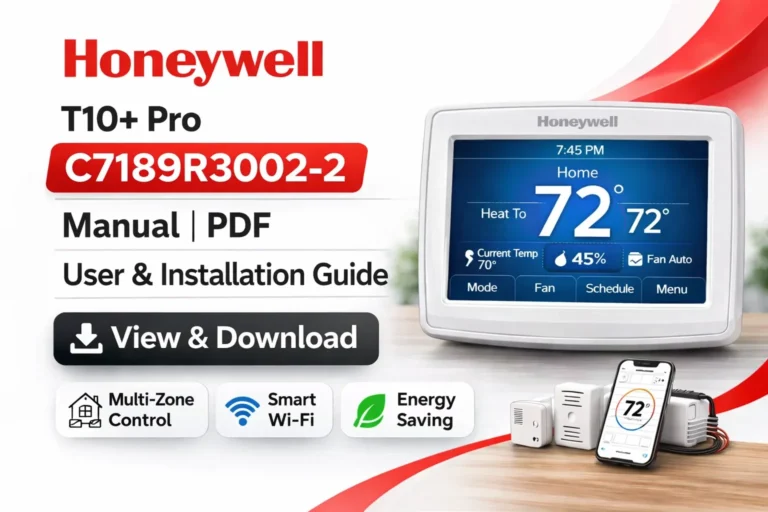
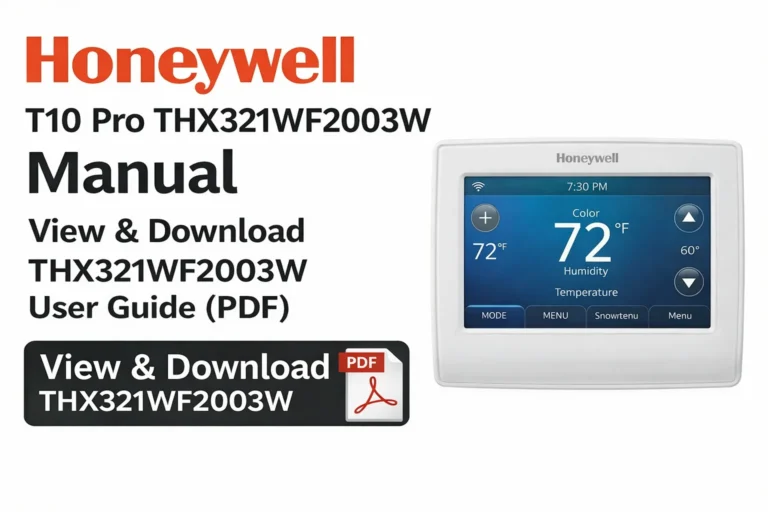
Honeywell TH9320WF5003 Manual – View & Download TH9320WF5003 User Guide (PDF)
On this page, you can easily view and download the Honeywell TH9320WF5003 thermostat manual in PDF format. We provide both the User Guide and Installation Guide, along with wiring diagrams, system compatibility details, setup help, troubleshooting steps, and reset instructions. Whether you are a homeowner, installer, or HVAC technician, this page gives you everything needed to operate, install, or repair the TH9320WF5003 thermostat.
View & Download Honeywell TH9320WF5003 Manual (PDF) – User Guide
This official user manual explains all thermostat features, settings, modes, Wi-Fi connectivity steps, screen navigation, and energy-saving options. You can open it online or download it for offline use.
View & Download Honeywell TH9320WF5003 Manual (PDF) – Installation Guide
The installation manual includes complete wiring diagrams, mounting instructions, HVAC compatibility charts, terminal descriptions, and step-by-step setup procedures for safe installation.
Honeywell TH9320WF5003 Thermostat Overview – Features, Benefits & Specifications
The Honeywell TH9320WF5003 is a Wi-Fi-enabled touchscreen thermostat that supports a wide range of HVAC systems. It offers remote control access, energy monitoring, humidity tracking, and advanced scheduling.
Key Features:
- Full-color 3.5″ touchscreen
- Wi-Fi remote control via Honeywell app
- Smart Response Heating/Cooling
- Indoor humidity display
- Alerts for filter change & system errors
- Compatible with multi-stage systems
- 7-day programmable schedule
This model is designed for both beginner users and professional HVAC setups.
TH9320WF5003 Technical Specifications – Detailed Breakdown
- Model: Honeywell TH9320WF5003
- Screen Type: Color touchscreen
- Power Requirement: 24 VAC (C-wire mandatory)
- Wi-Fi Compatibility: 2.4GHz networks
- Humidity: Displays indoor humidity
- Operating Temperature: 0°C to 50°C (32°F to 122°F)
- Mounting: Wall-mounted, rectangular plate
Understanding these details helps you determine if the thermostat suits your system.
Honeywell TH9320WF5003 Wiring Diagram – Complete Terminal Guide
The thermostat supports a variety of HVAC setups including heat pumps, multi-stage heating/cooling, and auxiliary heat systems.
Terminal labels include:
- R, Rc: Power
- C: Common
- Y, Y2: Compressor
- W, W2: Heat
- O/B: Heat pump reversing valve
- AUX/E: Auxiliary heat
- G: Fan
TH9320WF5003 Compatible Systems – Heating, Cooling & Heat Pumps
The thermostat works with:
✔ Conventional Systems
- Gas furnaces
- Oil furnaces
- Electric heating
- Single & multi-stage cooling
✔ Heat Pump Systems
- With or without auxiliary heat
- Dual-fuel systems
- Multi-stage heat pumps
✔ Additional Equipment
- Humidifiers
- Dehumidifiers
- Ventilation systems
This wide compatibility makes it an excellent choice for most HVAC installations.
How to Use the Honeywell TH9320WF5003 Thermostat – Beginner-Friendly Guide
Operating the thermostat is very simple:
- Tap the temperature numbers to adjust heating/cooling.
- Select Mode to switch between Heat, Cool, Auto, or Off.
- Use the Menu for thermostat settings, Wi-Fi, alerts, and scheduling.
- View indoor humidity on the home screen.
- Follow prompts for filter-change notifications.
This guide helps new users control the thermostat confidently.
TH9320WF5003 Display & Menu Navigation – How Everything Works
The touchscreen interface includes:
- Home Screen: Temperature, mode, and humidity
- System Status: Shows heating or cooling activity
- Menu Button: Access to advanced options
- Alerts Section: Displays filter and maintenance reminders
- Wi-Fi Icon: Shows network status
The icons and layout are designed to be clear and beginner-friendly.
Scheduling Guide – How to Program the TH9320WF5003 for Energy Savings
The 7-day programmable schedule helps reduce power consumption. You can set:
- Wake temperature
- Leave temperature
- Return temperature
- Sleep temperature
You may program different schedules for weekdays and weekends. The thermostat automatically adjusts temperatures to save energy.
Smart Response Technology – How It Learns Your System
This feature allows the thermostat to “learn” how long your HVAC takes to heat or cool your home. It preheats/pre-cools efficiently, ensuring your desired temperature is reached at the right time.
Benefits:
- Lower energy usage
- Consistent comfort
- Reduced system strain
Wi-Fi Setup Tutorial – How to Connect TH9320WF5003 to the Honeywell App
To set up Wi-Fi:
- Open Menu → Wi-Fi Setup
- Select your network
- Enter your password
- Register on Honeywell Total Connect Comfort
Once connected, you can control the thermostat remotely from your phone.
Common Wi-Fi Issues & Fixes for TH9320WF5003
- Cannot find Wi-Fi: Move router closer or restart thermostat
- Connection lost: Reboot router, reconnect manually
- App not updating: Refresh device registration
- Incorrect password: Re-enter Wi-Fi credentials
If issues persist, the Wi-Fi section of the official PDF offers detailed solutions.
Honeywell TH9320WF5003 Troubleshooting – Common Problems & DIY Fixes
Here are the most frequent problems users experience:
1. Display Not Turning On
- No power from HVAC
- Missing C-wire
- Loose wiring
2. Heating or Cooling Not Running
- Wrong system type selected
- Incorrect wiring
- Furnace or AC fault
3. Thermostat Not Reaching Set Temperature
- Incorrect calibration
- Airflow issues
- Dirty filter
4. Touchscreen Not Responding
- Restart thermostat
- Clean the screen gently
- Check for voltage issues
Proper troubleshooting prevents unnecessary maintenance calls.
Error Codes List – Meaning & Fixes for TH9320WF5003
Some common errors include:
- Sensor Failure – Replace faulty sensor
- Communication Lost – Check Wi-Fi or furnace panel
- Filter Alert – Replace filter
- System Error – Check HVAC components before restarting
Each code is explained in the PDF manuals with step-by-step instructions.
How to Reset Honeywell TH9320WF5003 – Factory Reset Instructions
If you need to restore default settings:
- Go to Menu
- Select Preferences
- Scroll to Restore Factory Defaults
- Confirm reset
This clears schedules, Wi-Fi, and advanced configurations.
Maintenance Guide – Keeping Your TH9320WF5003 Running Smoothly
To ensure long device life:
- Replace filters regularly
- Keep thermostat away from direct heat sources
- Clean the screen gently
- Update Wi-Fi settings if router changes
Proper maintenance improves efficiency and prevents display issues.
Energy-Saving Tips for TH9320WF5003 Users
- Use Auto mode for balanced performance
- Reduce settings by 2–3°F when away
- Enable Smart Response
- Program a 7-day schedule
- Keep HVAC components clean
Following these tips reduces electricity usage significantly.
Honeywell TH9320WF5003 Dimensions, Mounting Info & Power Requirements
- Dimensions: 4.5″ x 3.25″ (approx.)
- Mounting: Horizontal wall plate
- Wiring Requirement: C-wire needed
- Power: 24V AC from HVAC
Correct mounting ensures accurate temperature readings.
Understanding the Honeywell TH9320WF5003 Touchscreen Interface – Icons, Menus & Hidden Features
The touchscreen of the TH9320WF5003 is designed to be intuitive, but many users overlook advanced options hidden inside the Menu section. Apart from basic controls, the screen displays system status icons, such as heat mode, cooling mode, Wi-Fi connectivity, battery alerts, temperature swing, and humidity levels. Long-press gestures allow you to open deeper configuration menus where installers can access professional-level settings like compressor protection, temperature limits, and staging behavior.
Installer Setup Menu – Professional Configuration Options Explained
This thermostat includes an installer-only menu for HVAC technicians. You can access:
- System Type Selection (Conventional / Heat Pump)
- Number of Heating and Cooling Stages
- Compressor and Fan Delay Settings
- Temperature Offset Calibration
- Aux Heat Balance Point
- Adaptive Recovery Mode
The installer menu allows the thermostat to match your HVAC system perfectly, ensuring maximum efficiency and comfort.
Advanced Programming – Customizing Temperature Limits and Locking the Thermostat
The TH9320WF5003 lets you set:
- Maximum Heat Temperature Limit
- Minimum Cool Temperature Limit
- Partial or Full Screen Lock
- Password Protection for Settings
These are especially useful for landlords, rental properties, offices, and commercial environments where unauthorized users may change settings.
Honeywell TH9320WF5003 Wi-Fi Registration Errors – Causes & Step-by-Step Fixes
If the Wi-Fi registration fails during setup, these may be the reasons:
- Router not using 2.4GHz frequency
- Security type not supported (use WPA2)
- Honeywell server temporary outage
- Incorrect MAC filter settings
- Router firewall blocking outbound traffic
Fix by restarting router, reducing its security restrictions, or re-registering the thermostat using a different device.
How the TH9320WF5003 Manages Humidity – Dehumidification & Ventilation Controls
This thermostat can directly manage home humidity levels if compatible equipment is installed. When connected:
- It can activate dehumidification mode
- Show real-time indoor humidity
- Allow ventilation scheduling
- Prevent over-humidification in summer months
This feature creates a more comfortable indoor environment while also protecting furniture, wood flooring, and electronics.
Filter Change Alerts & Maintenance Reminders – How They Work
The Honeywell TH9320WF5003 includes smart notifications for:
- Air filter replacement
- UV lamp replacement (if connected)
- Humidifier pad service
- General furnace or AC checkup
These reminders are based on system runtime, not just time, making them highly accurate.
Battery Backup Behavior – What Happens During Power Outages?
Although powered by a C-wire, the thermostat stores settings internally.
During power outages:
- Schedule remains saved
- Wi-Fi reconnects automatically
- System resumes normal operation when power returns
This ensures no loss of configuration or programming.
TH9320WF5003 Installation Mistakes to Avoid – Professional Tips
Common installation mistakes include:
- Connecting the thermostat without a C-wire
- Wrong system type selection leading to no heating/cooling
- Mixing up O/B terminal on heat pump systems
- Installing thermostat in direct sunlight
- Wiring indoor fan incorrectly
Correcting these issues ensures accurate system behavior and prevents short cycling.
Ventilation, Fan Modes & Air Circulation Options
The thermostat provides multiple fan control options:
- Auto: Fan runs only during heating/cooling
- On: Fan runs continuously
- Circulate: Fan runs at intervals to improve air quality
- Ventilation: If connected to ERV/HRV units
These options help in maintaining steady airflow indoors.
TH9320WF5003 Power Cycling & Soft Reset – When and How to Use It
Power cycling solves temporary display, Wi-Fi, and functionality glitches.
To soft reset:
- Turn HVAC system switch OFF
- Wait 10–15 seconds
- Turn system ON again
This refreshes the thermostat without removing any data.
Firmware Updates – How TH9320WF5003 Updates Itself Over Wi-Fi
The thermostat receives updates through Honeywell servers.
Updates include:
- Stability improvements
- Wi-Fi enhancements
- Bug fixes
- Security patches
These updates occur automatically when Wi-Fi is connected.
Where to Find the Model Number on the TH9320WF5003 Thermostat
If you are unsure about your thermostat model:
- Remove the thermostat from the wall plate
- Look at the sticker behind the device
- Model number will appear as TH9320WF5003 or TH93xxxxxxx
Confirming the model ensures you download the correct manual.
Common Misconfigurations That Cause HVAC Damage – Important Safety Notes
Although uncommon, incorrect settings can cause system issues like:
- Compressor damage due to disabling delay protection
- Overheating if aux heat configuration is incorrect
- Freezing coils with wrong balance point
- Blower fan failure if E and AUX wiring is mixed
Always double-check wiring or refer to the installation guide PDF.
Accessories Compatible with Honeywell TH9320WF5003 Thermostat
This thermostat works with various accessories, including:
- Indoor/outdoor temperature sensors
- Humidifiers
- Dehumidifiers
- Ventilation systems (ERV/HRV)
- Honeywell equipment interface modules
These add-ons expand thermostat functionality significantly.
Environmental Placement Guide – Where to Install the Thermostat for Best Performance
For accurate temperature readings:
- Install on an interior wall
- Avoid sunlight
- Avoid areas near vents or windows
- Do not place behind doors
- Keep away from lamps, TVs, or heat sources
Correct placement improves temperature accuracy and system efficiency.
Why Choose the Honeywell TH9320WF5003? – Benefits for Homeowners & Technicians
Homeowners enjoy:
- Easy touchscreen operation
- Remote smartphone control
- Energy savings with scheduling
- Accurate humidity and temperature sensing
Technicians prefer it because:
- Wide system compatibility
- Advanced configuration menus
- Clear diagnostic alerts
- Dependable hardware and stability
This balance of simplicity and power makes the TH9320WF5003 one of Honeywell’s best thermostat models.
TH9320WF5003 vs Other Honeywell Models – Feature Comparison
| Feature | TH9320WF5003 | TH8321WF | RTH9585WF |
|---|---|---|---|
| Touchscreen | Yes | Yes | Yes |
| Wi-Fi | Yes | Yes | Yes |
| Humidity Display | Yes | Yes | No |
| System Compatibility | High | Medium | Medium |
| Installation Level | Pro | Pro | DIY |
The TH9320WF5003 stands out for its humidity features and pro-grade compatibility.
Frequently Asked Questions (FAQ)
1. Can the TH9320WF5003 work without Wi-Fi?
Yes, Wi-Fi is optional.
2. Do I need a C-wire?
Yes, the thermostat requires a C-wire for power.
3. Is this thermostat compatible with heat pumps?
Yes, it supports heat pumps with or without auxiliary heat.
4. Where can I download the TH9320WF5003 manual?
You can download both PDFs directly from this page.
Download More Honeywell Thermostat Manuals (PDF Library)
Explore our full library of manuals for Honeywell, Lennox, Carrier, Emerson, and other thermostat brands. All manuals are available to view online or download for free.
Conclusion – Download the Full Honeywell TH9320WF5003 Manual (PDF) for Easy Setup & Support
The Honeywell TH9320WF5003 thermostat is engineered to deliver precise temperature control, advanced scheduling, Wi-Fi connectivity, and broad HVAC compatibility. Whether you are an installer, technician, or homeowner, having the correct documentation is essential for ensuring proper installation, accurate wiring, optimal configuration, and long-term system reliability.
By providing the official User Manual, Installation Guide, Wiring Diagram, and Technical Specification PDFs, this page serves as a comprehensive resource for anyone working with the TH9320WF5003 model. These manuals offer clear, detailed instructions that support every stage—from initial setup and programming to troubleshooting and maintenance.
For additional Honeywell models or further reference materials, visit our complete thermostat manual library, where you can access more downloadable PDFs to assist with your HVAC projects or system upgrades.